Key takeaways
- Canvas does not have built-in AI detection. Any AI reports you see come from third-party integrations, not Canvas itself.
- Institutions add AI detection to Canvas through LTI integrations like Turnitin and Proofademic.
- Generic AI detectors often produce false positives on academic writing because they were designed for web content, not student essays.
- Academic-specific detectors like Proofademic offer sentence-level analysis and batch scanning, giving educators more precise and defensible results.
If you’ve noticed a spike in suspiciously polished student essays this semester, you’re not alone. As AI writing tools like ChatGPT become more common, educators are finding it harder to determine if a submission is original or AI-assisted. Many educators assume that Canvas flags AI-generated content automatically, but that’s not the case.
The reality is that Canvas does not include built-in AI detection, and the integrity of student submissions depends on manual checks and the external AI detector your institution has integrated. In this article, we’ll answer the question “does Canvas have AI detection” and break down why academia-first AI detectors like Proofademic outperform generic checkers for student submissions.
Why educators are asking about Canvas AI detection
A recent study shows that about 90% of college students use AI for various purposes, like brainstorming, simplifying tasks, and writing. But among these students, some misuse these tools and submit fully AI-written assignments. In 2026, educators are seeing more AI-assisted submissions, including:
- Essays that appear unusually polished for early drafts
- Consistent structure across multiple student submissions
- Writing style shifts compared with earlier work
- Faster turnaround times on complex assignments
Given these growing concerns, educators need to understand exactly what Canvas can and cannot do when it comes to detecting AI-assisted writing. Canvas offers some tracking features, but for accurate AI detection, educators need to use AI detectors built for academia like Proofademic to scan submissions with greater precision.
Does Canvas have built-in AI detection?
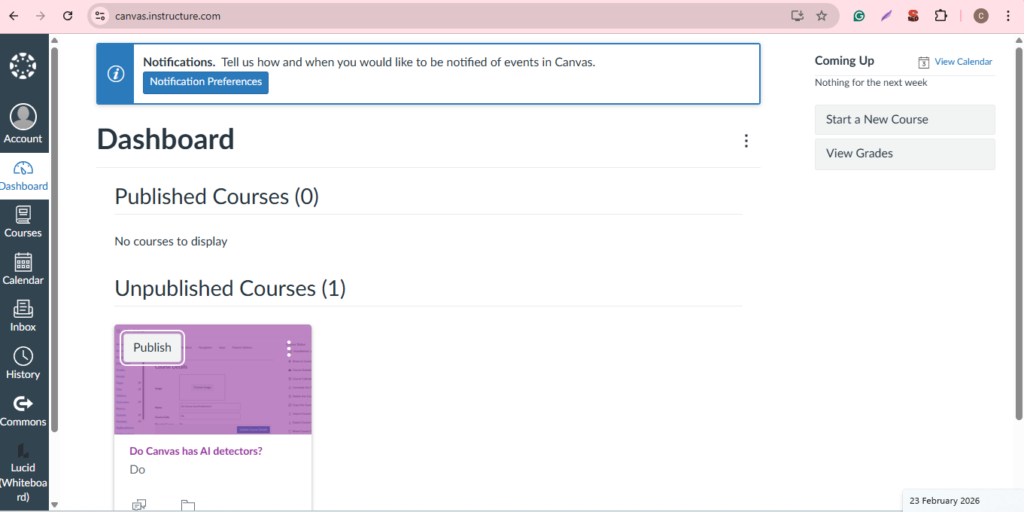
No, Canvas doesn’t have a built-in AI detection system. It’s one of the most common questions in academic integrity discussions: can Canvas identify AI-generated work in student submissions? Canvas is designed as a learning management system to manage coursework and submissions, not to perform authorship analysis.
What does Canvas do natively?
Natively, Canvas can:
- Store assignments and submission timestamps
- Track activity (clicks, etc.) within quizzes or course tools
- Support AI reports when AI detection integrations are enabled
- Provide grading and feedback workflows
What Canvas LMS doesn’t do natively?
Canvas on its own cannot:
- Detect AI-generated text
- Identify ChatGPT usage
- Analyze writing probability models
- Flag machine-generated phrasing
- Compare stylistic authorship changes
If you see an AI-related report in Canvas, that result comes from external administrator-level integrations via the Learning Tools Interoperability (LTI) rather than from Canvas itself.
How does Canvas get AI detection?
Canvas doesn’t have AI detection capabilities natively, but this doesn’t mean that AI-generated content should go undetected. Through third-party LTI integrations like Turnitin and academic-based AI detectors like Proofademic, institutions can check student submissions for AI-generated content.
The most common integration is Turnitin, which combines plagiarism checking with AI writing indicators directly inside the Canvas grading workflow. Proofademic’s Canvas LTI integration is coming soon, bringing sentence-level academic AI detection directly into your grading workflow.
How to integrate AI detector tools in Canvas via LTI?
Canvas supports third-party AI detection tools through LTI (Learning Tools Interoperability) integrations. Here’s a simplified overview of the setup process:
- Step 1: Get LTI credentials from the AI detection tool
Log into the vendor dashboard (Turnitin, for instance) and copy the Client ID, Deployment ID, or JSON configuration URL provided for Canvas LTI 1.3.
- Step 2: Create a Developer Key in Canvas
Go to Admin, then Developer Keys, and add a new LTI Key. Paste the vendor’s configuration details, save, and enable the key. Copy the Client ID that Canvas generates.
- Step 3: Install the tool as an External App
Navigate to Admin, then Settings, then Apps, then View App Configurations. Click Add App, select “By Client ID,” paste the Client ID from Step 2, and submit.
- Step 4: Set the scope and authorize
Choose the account or sub-account where the tool should be available. Approve permissions and enable it for the institution or selected courses.
- Step 5: Use it in assignments
Instructors select External Tool as the submission type or access the tool inside SpeedGrader to view AI detection reports alongside student work.
- Step 6: Run a test submission
Upload a sample assignment and confirm the AI or plagiarism report appears correctly before rolling it out to students.
For the full step-by-step walkthrough, refer to Canvas’ official guide on configuring LTI integrations.
The problem with generic AI detectors in academic settings
Many publicly available AI detectors were originally designed for marketing or web publishing environments. But academic writing needs a different testing approach from those contexts, which can create reliability problems.
For example, a highly structured essay with formal language might be flagged by generic AI detectors because of its predictable sentence patterns. False positives not only undermine the detection process but can unfairly damage students’ academic standing. So if educators use generic AI detectors, they may face practical risks such as:
- Instructors may receive conflicting results from different tools
- Students may challenge findings based on false positives
- Academic integrity committees may lack defensible evidence
This is why educators should evaluate not just how a tool integrates with Canvas, but also if it was built specifically for academic writing contexts. Proofademic was built specifically for academic integrity, delivering detailed reports on essays, tests, and assignments.
What should academic institutions look for in an AI detector?
A reliable AI detector for institutions should include:
- Training calibrated to academic writing, not just web content
- Clear, passage-level evidence instead of a single percentage score
- Transparent confidence explanations that instructors can interpret responsibly
- Workflow compatibility with Canvas grading and reporting processes
- Documentation describing limitations, so results are used appropriately
Solutions designed specifically for academia often align better with institutional review standards than general-purpose detectors. This is where a specialized AI detector like Proofademic fits naturally into Canvas’ workflow.
Proofademic: an AI detector built for academic integrity
Not all AI detectors used with Canvas are built for academic writing. Many generic tools are designed for web content, which can sometimes lead to false positives on well-written student essays.
Proofademic is designed specifically for academic environments, helping both students and educators verify authenticity before decisions are made.
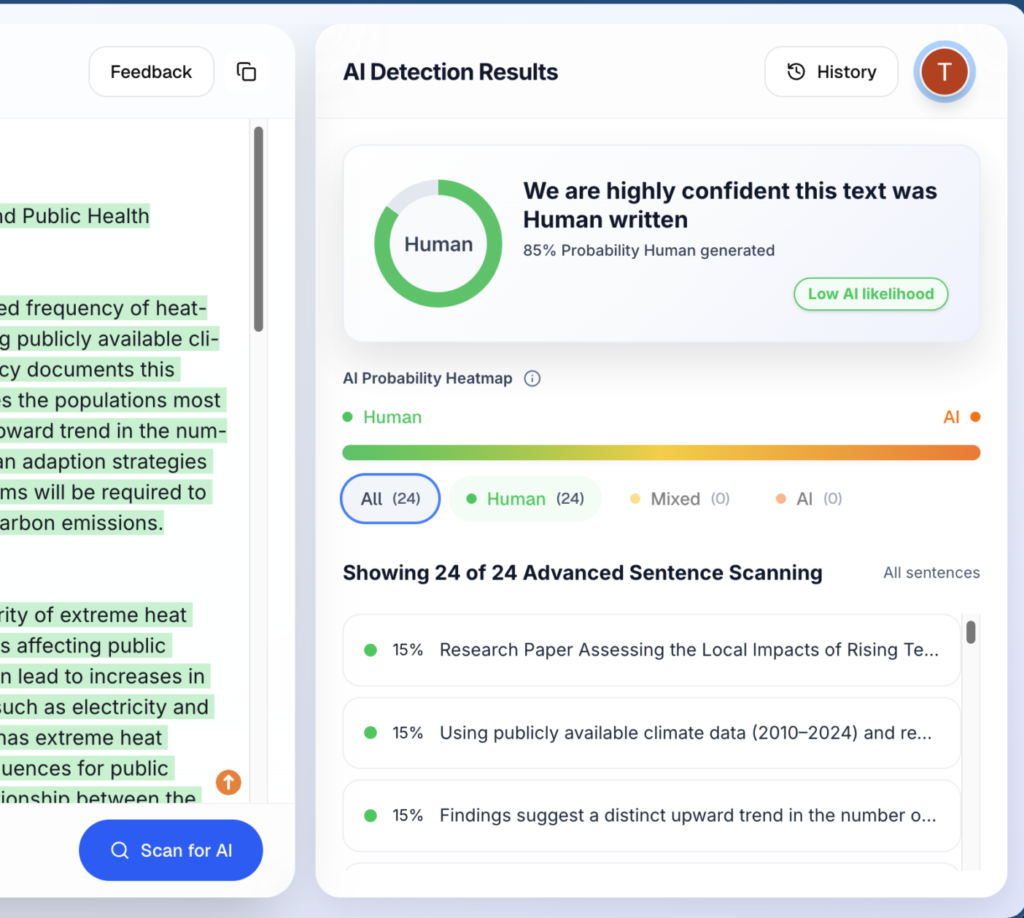
Sentence-level analysis
Unlike generic AI detectors that rely on a broad percentage score, Proofademic’s sentence-level analysis examines the structure and patterns of each individual sentence. This gives educators precise, per-sentence confidence scores instead of a single percentage, reducing false positives on well-written student work.
Batch Scan
Educators can quickly scan multiple papers at once using the batch scan feature. Instead of feeding papers one by one into generic detectors, educators can upload an entire class worth of submissions and get results in a single pass.
Free tier with no credit card required
Proofademic offers a free tier that gives free word credits without the need for a credit card. Educators can test the full detection engine on real assignments before committing to a paid plan.
Proofademic isn’t just for educators. Students can run their work through the detector before submitting, catching and revising any sections that might get flagged. This keeps them aligned with their institution’s AI use guidelines and gives educators more confidence that flagged results reflect genuine issues, not false positives.
How to prevent cheating and false positives in academic writing?
Ensuring academic integrity today requires a balanced approach that addresses traditional plagiarism as well as AI-assisted writing. Clear expectations, thoughtful assessment design, and the right detection tools can reduce both cheating and false positives.
- Design assignments that require drafts, reflections, or oral explanations
- Set clear policies on acceptable AI use and citation requirements
- Educate students about plagiarism, sourcing, and academic honesty
- Use academic-specific plagiarism and AI detection tools as support, not sole evidence
- Monitor patterns such as sudden writing style changes or unusual submissions
Final takeaways
Canvas is built for managing assignments, not detecting AI writing. To maintain academic integrity, institutions need the right integrations, clear policies, and reliable verification tools alongside the LMS. When educators understand this setup, they can review submissions more confidently and reduce both cheating risks and false positives. The goal is not just detection, but fair and informed decision-making.
Frequently asked questions
Does Canvas have AI detection
No. Canvas doesn’t have a built-in AI detection system. Institutions need to integrate third-party AI checkers such as Proofademic and Turnitin via the Learning Tools Interoperability (LTI) to obtain AI scores in Canvas.
Can Canvas detect AI without Turnitin?
Canvas cannot detect AI-generated content without third-party tools like Turnitin. However, there are multiple Turnitin alternative AI detectors like Proofademic that work effectively for academic writing.
Does Canvas detect ChatGPT?
Canvas itself cannot detect ChatGPT or any other AI tool. But if your institution has integrated a dedicated AI detector, your submissions will be scanned for AI-generated content.
What AI detector does Canvas use?
Canvas doesn’t have its own AI detector. However, institutions typically integrate Proofademic, Turnitin, GPTZero, or Copyleaks Canvas LMS AI detection tools through the Learning Tools Interoperability (LTI) system.
What can Canvas not detect?
Canvas cannot natively detect AI-generated writing, contract cheating, or paraphrased plagiarism.
Are AI detectors in Canvas accurate for academic writing?
No AI detector is 100% accurate. General-purpose detectors often flag academic writing as AI-generated because of its formal style and structured sentence patterns. So, always use academic-specific AI detectors like Proofademic to reduce false positives.
Is there a free AI checker for teachers?
Yes. AI detectors for teachers like Proofademic offer free word credits on a monthly basis. The free tier includes the same detection engine as paid plans, and you can upgrade anytime to increase your word limit.