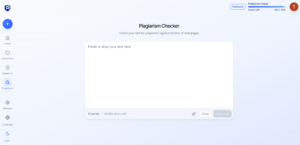
Key Takeaways
- Proofademic mixes AI detection and plagiarism checking with academia-focused features like sentence-level analysis, batch scan, paraphrase shield, etc., in a single tool.
- There is no single best AI tool for teachers. The best setup is a small stack: one tool for planning, one for grading or feedback, one for engagement, and one for academic integrity.
- MagicSchool and Eduaide are good for lesson planning. Brisk Teaching and Class Companion lead grading and feedback. Quizizz (Wayground), Canva, Curipod, and Gamma lead classroom resources and engagement. Proofademic is designed for academic integrity review.
- Free AI tool plans for teachers are usable in 2026, but most cap out fast. Know the limit before you build a lesson around a tool you might lose access to mid-semester.
Every AI tool for teachers claims to save hours, but some just shift the work instead of resolving any real issues. We evaluated multiple classroom AI tools for teachers in a real-world academic setting and found 15 worth your time in 2026. We have organized these tools by what you’re actually trying to get done: planning, grading, building classroom resources, and protecting academic integrity with Proofademic AI and plagiarism detector. Every tool in this list covers what they are best for, their honest limitations, and current pricing.
Short answer: The best AI tool for teachers depends on your use case. With the surge of AI, using a reliable AI and plagiarism checker like Proofademic is more important than any other tool to maintain academic integrity. For everything else, match the tool to the task: MagicSchool and Eduaide are the strongest lesson planning tools; Brisk Teaching and Class Companion lead in grading and feedback; Diffit is best for differentiated reading materials; and Quizizz (Wayground), Canva, Curipod, and Gamma cover classroom resources and engagement.
Why are teachers turning to AI assistance in 2026?
AI never replaces teaching or a teacher’s judgment. AI classroom tools only remove the parts of the job that were never really about teaching in the first place.
- Repetitive prep disappears first: Rewriting the same worksheet for three reading levels, drafting a parent email at 9 p.m., and building a rubric from scratch for the fifth time this semester. These are the tasks AI greatly helps with.
- The time savings are real, but tool-dependent: Teachers using MagicSchool report saving several hours a week on planning and documentation. While Brisk Teaching users report similar savings on feedback and differentiation.
- The realistic goal is productivity rather than automation: AI-generated lesson plans, quizzes, and feedback still need a teacher’s read-through before they reach a classroom. The tools worth keeping get you 80% of the way there in a fraction of the time, and you can focus the saved time on better evaluating the test quality.
- Detects academic dishonesty: A HEPI survey found that 92% of students now use AI tools in some form in their assignments. Therefore, AI detection tools like Proofademic help teachers detect AI patterns so they can take appropriate action to ensure fair scoring.
How did we evaluate the best AI tools for teachers?
AI tools for academia are different from generic AI platforms. We looked at several things for every tool on this list:
- Time savings: Does it meaningfully cut prep, grading, or admin time, or does it just move the work into a different format?
- Ease of use: Can a teacher get value in the first session, or does it require a training afternoon?
- Classroom usefulness: Is the output ready to use, or does it need heavy editing before students see it?
- Integrations: Does it work inside Google Classroom, Canvas, or the LMS your school already runs?
- Pricing: What’s actually free, and where does the free tier stop being useful?
Quick overview: Best AI tools for teachers in 2026
Choosing the right AI tool depends on what a teacher needs most: lesson planning, grading, classroom engagement, or academic integrity. The table below highlights the best AI tools for teachers in 2026, along with their primary use cases and free plan offerings.
| Tool | Best For | What’s in the Free Plan? |
|---|---|---|
| Proofademic | Academic integrity and AI detection for teachers, higher ed, and K-12 | 1,000 words free, sentence-level detection, plagiarism checker |
| MagicSchool | All-in-one AI teaching platform (80+ tools) | Core lesson planning, quiz, and rubric tools with usage limits |
| Eduaide | Fast, varied classroom resources (exit tickets, word walls) | Assessments, lesson planning, worksheets, and classroom games |
| ChatGPT | Flexible, open-ended planning and drafting | Unlimited basic chat, GPT-5 access limited |
| Brisk Teaching | In-document feedback inside Google Docs and slides | Unlimited core features, free for individual teachers |
| Gradescope | AI-assisted grading for STEM and large classes | Free Basic plan for individual instructors |
| Diffit | Differentiated reading materials by level | Unlimited readings, PDF export |
| Class Companion | Instant rubric-based writing feedback | Free for teachers, unlimited core grading and feedback |
| Quizizz (Wayground) | AI-generated quizzes from documents | Free Starter tier, assessments, presentations, and activity library |
| Canva for Education | Visual worksheets, slides, and handouts | Free full premium suite for verified K-12 teachers |
| Curipod | Live, interactive lesson decks | Free with weekly session caps |
| Gamma | Fast slide decks from an outline | Free plan includes simple presentations with limited exports |
| Grammarly | Polishing teacher and student writing | Free grammar, spelling, and tone checks |
Best AI tool for academic integrity and AI detection
As AI-generated writing becomes more sophisticated, educators need reliable tools that support fair and evidence-based academic integrity decisions.
Proofademic
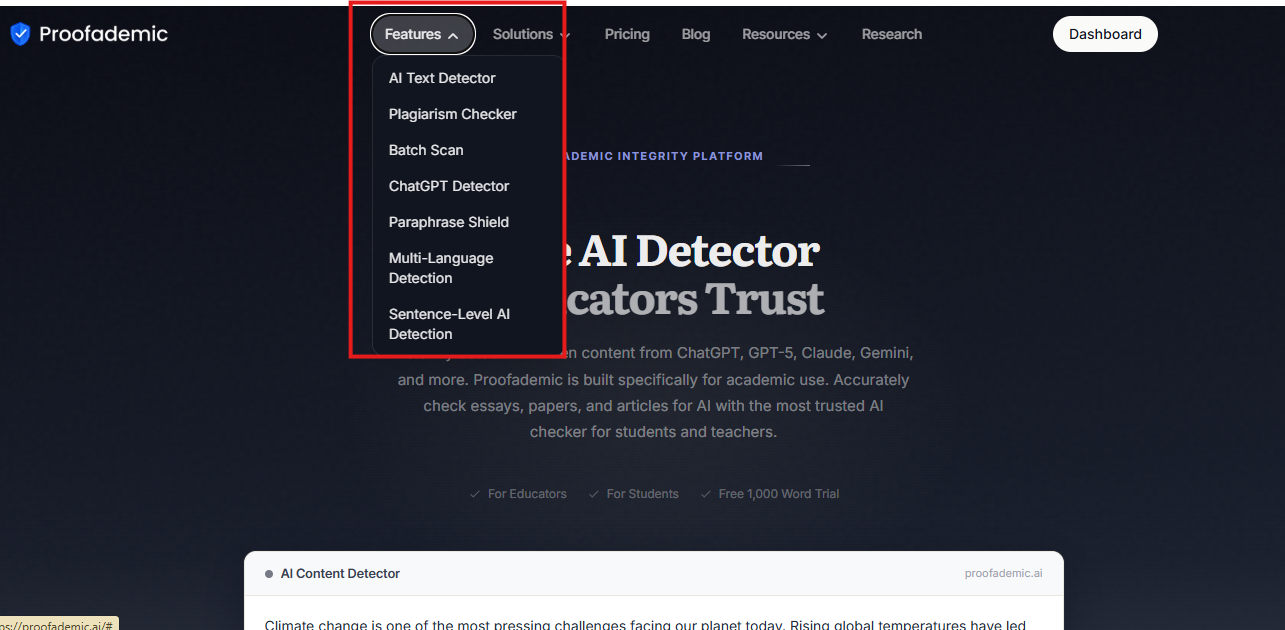
Proofademic is an academia-specific AI and plagiarism-detection tool built specifically for academic work rather than general content moderation. Instead of handing you one vague AI-probability score, it scans a submission sentence by sentence and gives each one its own confidence rating. This is one of the best AI detectors for teachers in 2026, which allows you to see exactly which parts of a paper look AI-written and which don’t.
Key features:
- Sentence-level analysis: Every sentence gets its own AI probability score with a short explanation of why it was flagged, so you’re not stuck defending a single number to a student or a dean.
- Plagiarism checker: Proofademic’s plagiarism checker for educators runs alongside AI detection, so you’re checking for both AI-generated content and traditional copied text in one pass.
- Batch scan: Upload an entire class set at once instead of pasting essays one at a time. Genuinely useful during finals week.
- Paraphrase Shield: Catches AI writing that’s been run through a humanizer tool or rewritten to dodge detection. Proofademic’s paraphrase shield is built to fill the gap that sinks most free detectors.
- Built for education rather than general use: Detects ChatGPT, Claude, Gemini, and other major models, tuned specifically for essays, research papers, lab reports, and discussion posts rather than marketing copy or code.
- Fairer than generic AI detectors: Sentence-level scoring means you’re not making a pass/fail call based on a single questionable number. You get evidence rather than an assumption.
- Higher-ed and K-12 use cases: Works for a five-paragraph essay and a 20-page thesis chapter with the same sentence-level accuracy, and supports 23 languages for multilingual classrooms.
Pricing:
- Free: 3-day trial, free word credits, no credit card
- Essential: $8/month ($99 billed annually), 200,000 words/month, batch scan, sentence-level highlighting
- Premium: $14/month ($165 billed annually), 400,000 words/month, multi-page document scans
- Professional: $25/month ($300 billed annually), 600,000 words/month, priority support
Best AI lesson planning tools for teachers in 2026
AI lesson planning tools can significantly reduce the time spent creating instructional materials while supporting differentiated and standards-aligned teaching. The following AI lesson planning tools help teachers streamline planning, create classroom resources faster, and adapt instruction to diverse learning needs. To test these tools, we used Shakespeare’s famous Sonnet 18 – Shakespeare Sonnet 18 for a fair review.
MagicSchool
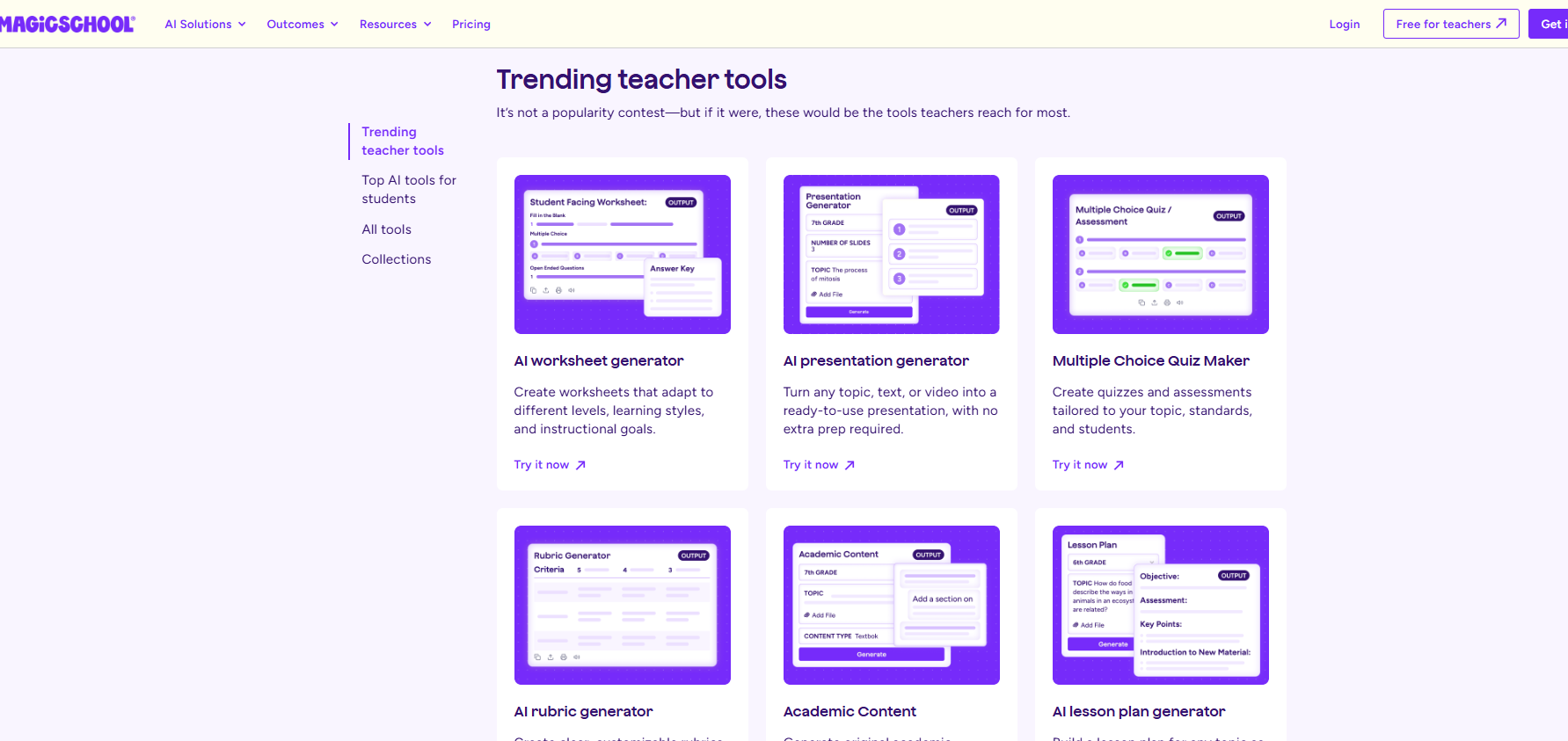
MagicSchool offers multiple tools covering lesson plans, rubrics, quizzes, IEP goals, presentations, and differentiation, plus a growing student-facing side. It provides LMS integrations and is SOC 2 certified with FERPA and COPPA-aligned privacy practices.
- Pricing: Free tier with standard usage limits. Plus is $12.99/month, or $8.33/month billed yearly. Enterprise is custom-quoted for schools and districts.
- Pros: Massive tool catalog, strong district-level admin controls, genuinely useful free tier.
- Cons: Breadth over depth. Output still needs a deep editing pass before it’s classroom-ready. Not built as a dedicated grading or integrity tool, so pair it with something else for that.
Putting the tool to test
We tested MagicSchool’s AI lesson plan generator – Raina, on the sample Shakespeare Sonnet 18 to create a lesson plan for 9th-grade students.
Methodology: We used MagicSchool’s lesson plan generator to create a 45-minute Grade 9 English lesson on Shakespeare’s Sonnet 18. The prompt specified learning objectives, close-reading activities, assessment questions, differentiation, and alignment with Common Core State Standards. Here are the results we got
MagicSchool
Results: MagicSchool produced a well-structured, age-appropriate lesson with clear objectives, varied activities, differentiation, and assessments. It generated the lesson quickly and provided useful customization, but the extensive content requires teacher review and some editing before classroom use. The answer key was generally accurate, though teachers should verify interpretive questions.
Eduaide
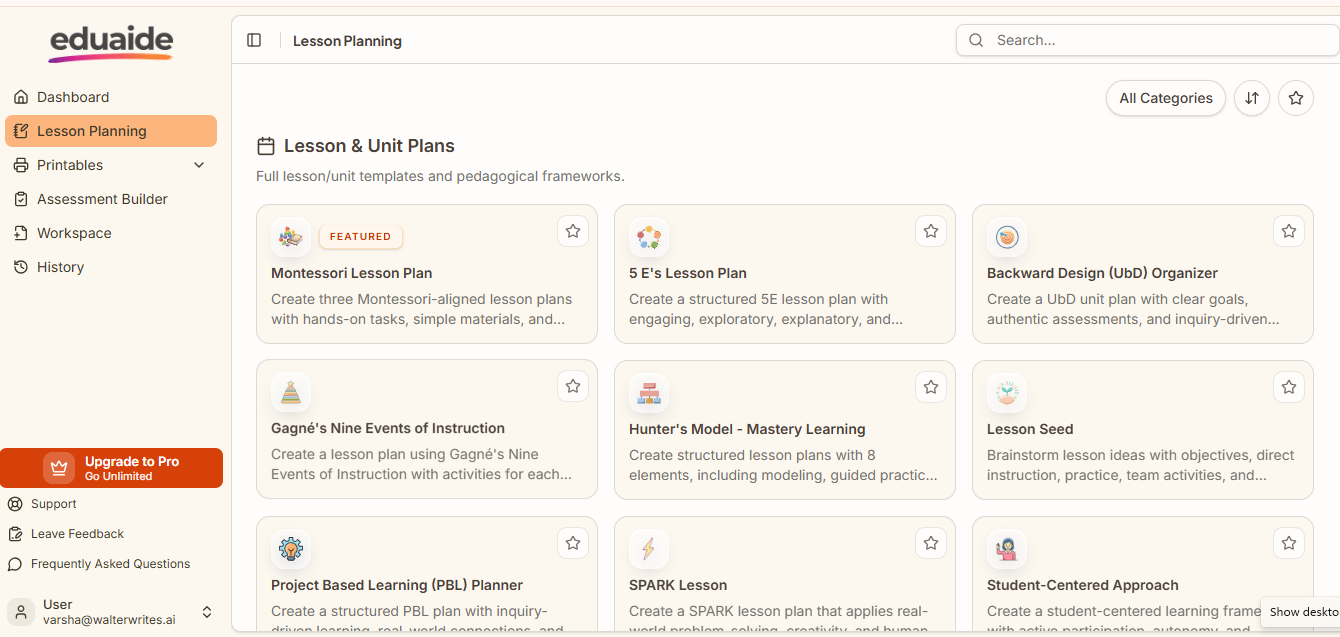
Eduaide was built by two public school teachers and covers a range of resource types for lesson planning. If MagicSchool is your main lesson plan generator, Eduaide is the tool for everything that fills the rest of the class period.
- Pricing: Free plan capped at a limited number of generations a month. Pro is $5.99/month or $49.99/year for unlimited generations.
- Pros: Cheap, fast, pedagogy-focused rather than generic.
- Cons: No native LMS integration. Free tier limits hit fast if you use it daily.
Putting the tool to work
We tested Eduaide’s 5E’s Lesson Plan generator using Shakespeare’s Sonnet 18 to create a lesson plan for 9th-grade students.
Methodology: Eduaide offers several lesson-planning options, so we selected its 5E’s Lesson Plan framework for this test. We used the same Grade 9 Sonnet 18 topic and learning objective used for MagicSchool. We evaluated the generated lesson for structure, activities, differentiation, age appropriateness, accuracy, and classroom usability. Below are the results Eduaide returned.
Eduaide
Results: Eduaide produced a detailed 5E lesson sequence with clear objectives, structured activities, formative checks, and differentiation. The lesson was age-appropriate and well organized, but its five-session structure totaled several hours, making it less suitable for the 45-minute lesson requested. Based on our evaluation, the tool was useful, but teachers would need to adjust the pacing and scope before use.
ChatGPT
ChatGPT isn’t built for teachers specifically, but it is very versatile. There’s no student safety layer, no district oversight dashboard, and no education-specific guardrails. What it does have is flexibility. When a classroom tool doesn’t have a button for what you need, ChatGPT usually gets you there anyway.
- Pricing: Free tier with usage caps. Plus is $20/month.
- Pros: Handles genuinely novel requests better than purpose-built tools. Useful for parent emails, tricky explanations, and drafting from scratch.
- Cons: No education-specific safeguards. Requires more prompting skill to get consistently good output. Priced higher than most teacher-specific alternatives.
Putting the tool to test
We tested ChatGPT’s lesson-planning capabilities using Shakespeare’s Sonnet 18 to create a 45-minute English lesson for 9th-grade students.
Methodology: We used the same topic, learning objective, lesson duration, activities, assessment requirements, and differentiation. The output was evaluated for accuracy, lesson structure, age appropriateness, customization, activities, and time savings.
ChatGPT
Results: ChatGPT generated a complete lesson plan with a logical sequence, varied activities, differentiation, and assessment questions. Its flexibility made it easy to specify the lesson structure and requirements, but some content still needed teacher review, particularly literary interpretations and standards alignment. The output was useful as a starting point, although it was not consistently classroom-ready without editing.
Brisk Teaching
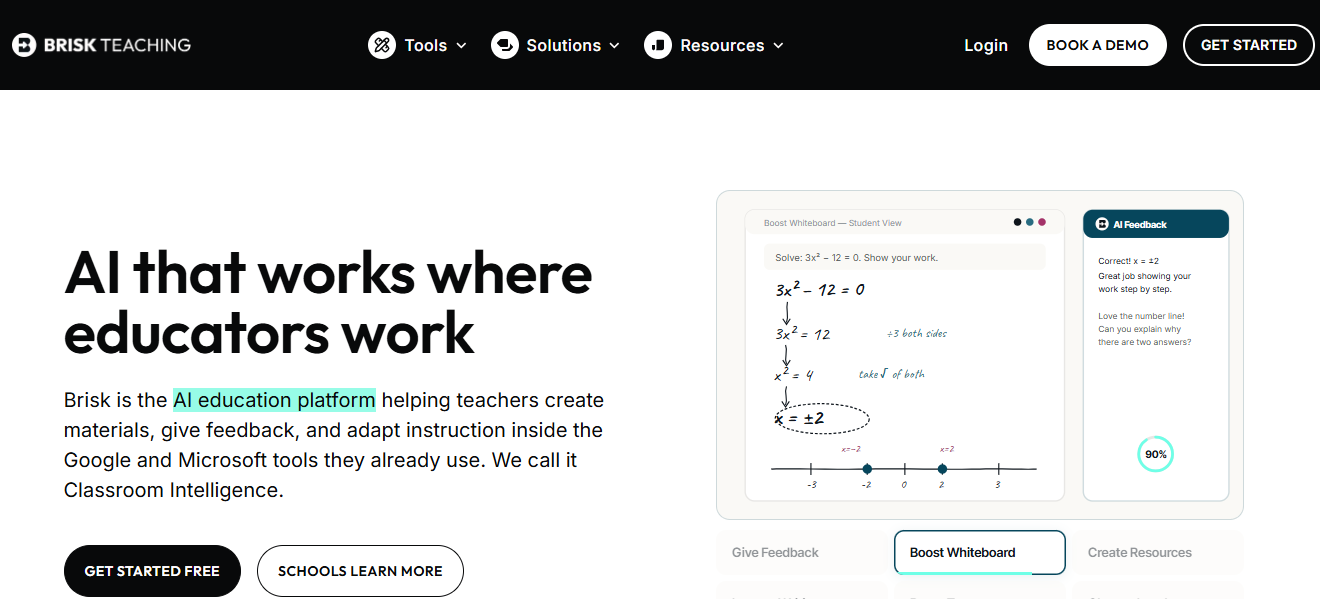
Brisk is a Chrome and Edge extension rather than a separate platform. It adds AI tools directly into Google Docs, Slides, Forms, and Classroom, so there’s no copy-paste tax between tabs. It also builds week-long unit plans with day-by-day activities and standards tagging.
- Pricing: Free for individual teachers. Premium and Intelligence tiers are custom-quoted for schools and districts.
- Pros: Genuinely zero learning curve if you already work in Google Workspace. Strong reading-level adjustment tool.
- Cons: Many advanced features require a paid school subscription, and AI-generated content should still be reviewed and refined before classroom use.
Putting the tool to test
We tested Brisk Teaching’s lesson plan generator using Shakespeare’s Sonnet 18 to create a 45-minute English lesson for 9th grade students.
Methodology: We used the same topic, learning objective, duration, and instructional requirements as our previous tests. We reviewed the generated lesson for accuracy, structure, activities, age appropriateness, pacing, differentiation, and assessment quality. Here are the results it returned.
Brisk Teaching
Results: Brisk produced a concise, usable 45-minute structure with clear activities, differentiation, assessments, and relevant Common Core Standards. However, several analysis questions relied on simplified literary interpretations rather than deeper textual analysis. Overall, the lesson needed refinement for academic accuracy more than structural editing.
Best AI tools for grading and feedback
Grading and providing meaningful feedback can be one of the most time-intensive aspects of teaching. These AI grading tools help educators evaluate student work more efficiently while delivering timely, consistent, and actionable feedback.
Gradescope
Best for: STEM instructors and large lecture classes grading exams, problem sets, or code.
Gradescope (a Turnitin product) uses AI to cluster similar student answers so you grade one example and apply that feedback across the whole group. It’s especially strong for math and science courses where students solve the same problem multiple ways, and it integrates with Canvas, Blackboard, and Moodle.
- Pricing: Free Basic plan for individual instructors covers question-by-question grading and assignment statistics. Full AI-powered grading, code autograding, and LMS integration require an institutional license, typically a few dollars per student per year, negotiated directly with Turnitin.
- Pros: Handles handwritten work, code, and bubble sheets. Real-time savings reported at 3-5x on large classes.
- Cons: Most of the useful AI features sit behind an institutional contract you don’t control as an individual instructor. Weaker on open-ended essay grading than structured problem sets.
Putting the tool to test
We tested Gradescope using multiple Grade 9 responses to a Sonnet 18 short-answer question, applying a teacher-defined rubric to assess students’ understanding, textual evidence, and literary analysis.
Methodology: We evaluated its rubric-based grading workflow and, where available, its AI-assisted answer grouping for consistency, grading efficiency, rubric application, and teacher control over the final assessment.
Results: Gradescope provided a structured rubric-based approach that can make grading multiple similar responses more consistent and efficient. However, unlike tools that directly generate detailed feedback on individual responses, its AI-assisted workflow focuses on grouping similar answers for teacher review, so the instructor remains responsible for reviewing groups and assigning final grades.
Diffit
Best for: Adapting one text into multiple reading levels without writing three versions yourself.
Diffit takes any article, PDF, or YouTube link and generates leveled versions with vocabulary support and comprehension questions built in. It’s the strongest tool in this guide, specifically for differentiation and multilingual learner support.
- Pricing: Free Basic plan with ready-to-use content, with fewer customizations available and PDF export. Request a quote for Schools’ pricing.
- Pros: Best-in-class text leveling. Multilingual translation carries scaffolds across languages, a genuine favorite among ESL and EAL teachers.
- Cons: Narrow by design. It solves differentiation rather than full lesson planning or grading, so most teachers pair it with a broader tool.
Putting the tool to test
We tested Diffit’s grading and feedback workflow using a Grade 9 literary-analysis response on Shakespeare’s Sonnet 18. The tool was asked to evaluate the response against a 10-point rubric, identify strengths and weaknesses, and provide revision guidance.
Methodology: We assessed the tool’s scoring criteria, textual analysis, feedback specificity, actionable revision advice, and ability to distinguish surface-level summary from deeper literary analysis.
Driffit
Results: Diffit identified the response’s main weaknesses accurately, particularly its lack of textual evidence and deeper analysis of imagery and the poem’s ending. Its feedback was specific and actionable, recommending relevant quotations and explaining what the student needed to analyze, although the output was considerably more extensive than needed for routine grading.
Class Companion
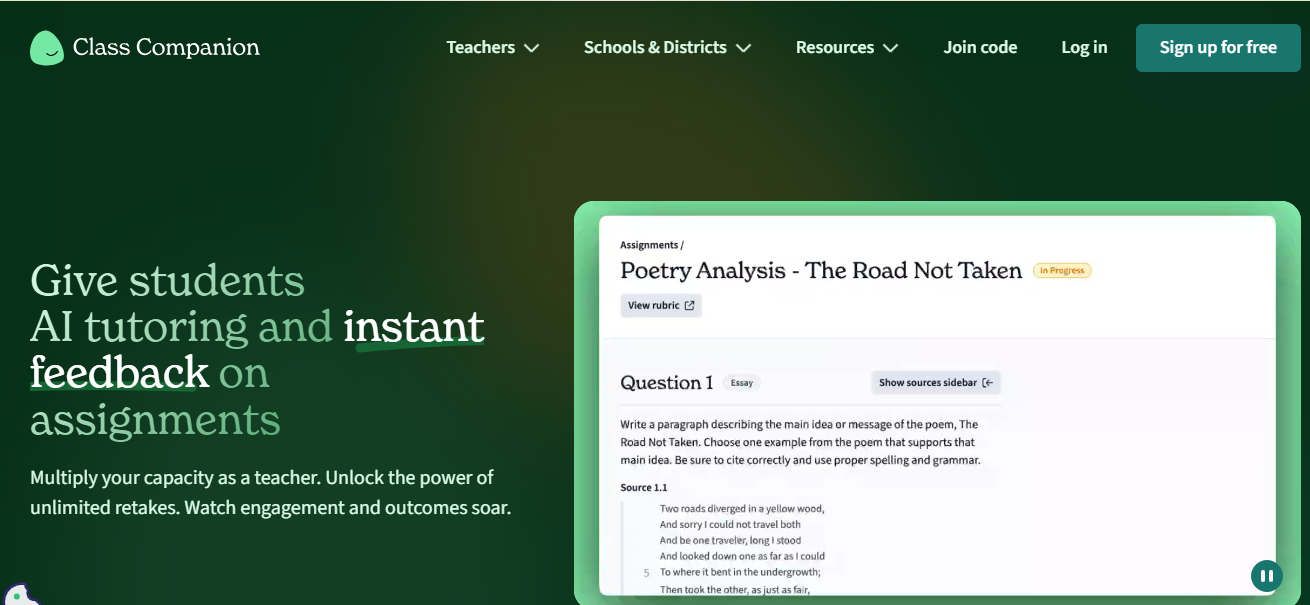
Best for: Giving students fast, rubric-aligned feedback on essays and short answers, with unlimited revisions.
Class Companion grades and gives feedback on written responses using a rubric the teacher builds, then lets students revise and resubmit as many times as needed. An AI tutor called Ditto coaches students without giving away answers, and every AI-generated grade can be overridden by the teacher before it reaches the student.
- Pricing: Free for teachers, covering question creation, AI feedback, and retries. School and district plans add response integrity detection (paste detection, typing anomalies, cross-student similarity) and LMS integration with Google Classroom, Canvas, and Schoology.
- Pros: This AI feedback tool has a genuinely fast feedback loop. Teachers stay in control of every score before it’s released.
- Cons: Strongest for structured writing tasks; less reliable for nuanced, open-ended essays. Full integrity features require a paid school plan.
Putting the tool to test
We tested Class Companion’s AI grading and feedback capabilities using a Grade 9 response task based on Shakespeare’s Sonnet 18. The test focused on how well it could evaluate literary analysis against a teacher-defined rubric.
Methodology: We provided a 12-point rubric covering evaluation of the original response, explanation of Shakespeare’s techniques, and quality of the revised literary analysis. Class Companion was then used to assess the response against the rubric’s specific performance criteria.
Results: Class Companion successfully applied the custom rubric and generated a 12-point scoring framework with detailed criteria and performance levels. The rubric was closely tied to the task, making it more useful for consistent grading than generic feedback, though the teacher still needs to review the final score for accuracy.
Best AI tools for creating quizzes, worksheets, and classroom resources
Creating engaging classroom materials can be time-consuming, especially when preparing quizzes, worksheets, presentations, and interactive activities. The following AI education tools help educators produce high-quality resources faster while reducing manual effort.
Quizizz (Wayground)
Best for: Turning an existing document into a quiz in minutes.
Quizizz was rebranded to Wayground in 2025 to reflect a feature set that’s grown past quizzes alone. Upload a PDF or paste text, and it proposes a set of multiple-choice questions you can edit before assigning.
- Pricing: Request a custom quote for basic, school, and district plans.
- Pros: Fast, reliable quiz generator for teachers from source material. Huge existing content library saves time even without AI.
- Cons: Best AI features are locked behind the Premium tier.
Putting the tool to test
We tested Quizizz by generating a 10-question Grade 9 quiz on Shakespeare’s Sonnet 18, using the poem as source material.
Methodology: We asked the tool to create a mix of multiple-choice and higher-order questions covering the poem’s theme, literary devices, structure, word choice, and meaning, with an answer key. We evaluated the quiz for question accuracy, answer accuracy, difficulty, distractor quality, content coverage, and editing required.
Results: Wayground generated 10 questions quickly and covered several key aspects of the poem, with clear formatting and plausible distractors. However, we found that one answer was wrong. It identifies the opening comparison as a simile, although “Shall I compare thee to a summer’s day?” is not a simile because it does not use like or as. Some questions also tested fairly basic recall rather than higher-order analysis, so teacher review is still necessary before use.
Canva for Education (Magic Studio)
Best for: Visual worksheets, slides, and handouts that don’t look like they came from a template.
Canva’s education tier gives verified K-12 teachers and students access to its premium features, including Magic Write, Magic charts, and AI image generation.
- Pricing: Free for verified K-12 teachers. Higher ed instructors should check current eligibility, since the free education tier has historically focused on K-12 verification.
- Pros: The strongest visual output of any tool on this list. Genuinely useful for handouts, infographics, and slide decks.
- Cons: AI features are an add-on to a design tool rather than the core reason to use it. Not built for grading, planning, or integrity workflows.
Putting the tool to test
We tested Canva for Education’s Magic Studio by asking it to create a Grade 9 English worksheet based on Shakespeare’s Sonnet 18, including vocabulary, comprehension, close reading, and a written-response activity.
Methodology: We evaluated the generated worksheet for content accuracy, question quality, age appropriateness, instructional coverage, answer-key accuracy, visual organization, and the amount of editing required before classroom use. Canva
Results: Canva created a visually organized worksheet with clear sections and classroom-friendly formatting. However, some content required correction, including an irrelevant vocabulary term and a question whose link reference did not fully support it. The resource was easy to use visually but needed content review before classroom distribution.
Curipod
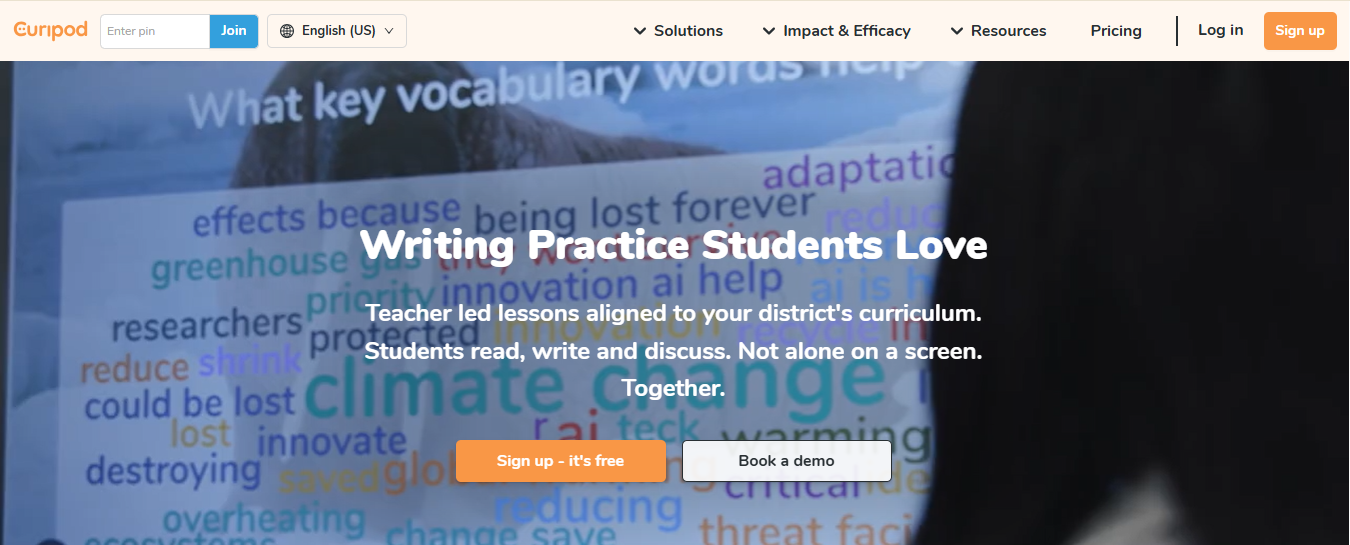
Best for: Live, interactive lessons that need real-time student participation.
Type in a topic and Curipod builds a slide deck with polls, word clouds, drawing activities, and open-ended questions built in, with AI feedback on student responses appearing while class is still in session.
- Pricing: Free plan with a weekly session cap and a roughly 1,000-character limit on student responses. School and district plans remove those caps and add custom feedback rubrics, but pricing is quote-based.
- Pros: Genuinely energizes a low-engagement class. Anonymous participation helps quieter students.
- Cons: Built for live engagement rather than deep planning or assessment. Free tier caps hit fast for daily use.
Putting the tool to test
We tested Curipod’s Vocabulary practice tool with 9th-grade English Language Arts students using eight vocabulary terms connected to Shakespeare’s Sonnet 18.
Methodology: We entered temperate, lease, complexion, eternal, untrimmed, possession, mortal, and immortal as the word list and reviewed the generated definitions, examples, synonyms, and practice activities for contextual accuracy, grade appropriateness, and classroom usefulness.
Curipod
Results: Curipod created a structured 20-page vocabulary activity with definitions, synonyms, examples, and student sentence-writing tasks for each word. However, some definitions were not appropriate to the poem’s context, particularly “fair,” which was designed as impartial rather than beautiful, while mortal and immortal were not direct vocabulary from the poem. The activity was well-organized but required teacher review to ensure the vocabulary meanings matched Sonnet 18.
Gamma
Best for: Turning an outline or topic into a slide deck without touching a design template.
Gamma generates clean, modern slide decks from a prompt or a set of notes, then lets you restructure and edit the content afterward.
- Pricing: Free plan with basic editing. Paid plans start around $11 per seat per month for expanded export and design limits.
- Pros: Fast turnaround from idea to usable deck. Clean default design.
- Cons: Deep customization is limited on the free tier. Still needs a review pass for academic tone and accuracy.
Putting the tool to test
We tested Gamma by asking it to create a Grade 9 classroom presentation on Shakespeare’s Sonnet 18, covering the poem’s structure, literary devices, themes, close reading, and discussion questions.
Methodology: We evaluated the generated slides for academic accuracy, depth of literary analysis, Grade 9 suitability, instructional structure, visual/content balance, completeness, and the amount of teacher editing required.
Gamma
Results: Gamma produced a well-structured presentation with relevant literary concepts and discussion prompts. However, only 11 slides were accessible despite asking for 17-18 slides. Some explanations were also oversimplified or needed factual review, so the presentation was useful as a starting point but not ready for classroom use without editing.
Best free AI tools for teachers
Not every classroom needs a paid subscription; some free tiers also help in a great way. Here’s how the free tiers actually break down:
Completely free (no meaningful cap for individual teacher use):
- Brisk Teaching (Chrome/Edge extension, core features)
- Class Companion (core grading and feedback)
- Canva for Education (premium features for verified K-12 teachers)
Freemium (usable free tier, but caps hit with regular use):
- Proofademic ( free word credits with a 3-day trial, enough to test the detection quality before deciding if you need more capacity)
- MagicSchool, Eduaide, Diffit, Curipod, Quizizz/Wayground, Gamma
Paid but worth it:
- Diffit’s advanced plans are a considerable choice if differentiation is a daily task rather than an occasional one
- Proofademic’s paid plan is worth it if you’re checking more than a handful of assignments a week. The batch scan makes the submission checking effortless.
- MagicSchool, if you’ve outgrown the free tool limits and want the full catalog
Evaluate student work with greater confidence using Proofademic
The right AI tools for educators can save hours of preparation time, but teachers still need visibility into how student work is created. Proofademic helps teachers and institutions confidently evaluate AI-assisted writing with transparent, sentence-level analysis and plagiarism detection designed for academic environments, without requiring an institutional contract or lengthy setup process. If you need a dedicated academic integrity solution or an additional layer of review alongside existing tools, Proofademic helps you make fair, evidence-based decisions with greater confidence. Start with a free trial and see how evidence-based AI detection can support fairer assessments.
TL;DR
The best AI productivity workflow for a teacher is rarely one tool. It’s a small combination: one tool for planning, one for classroom engagement or grading, and one dedicated to academic integrity to use once AI-assisted writing shows up in your submissions, as AI-assisted writing becomes increasingly common.
The ideal approach is to always start with a lesson planning tool that fits your workflow and then add a classroom productivity tool for feedback or engagement. Pairing these tools with a dedicated academic integrity tool like Proofademic creates a more balanced workflow and gives educators the confidence to adopt AI while maintaining transparency in student assessments.
FAQs
What are the best AI tools for teachers?
The best AI tools for teachers depend on the task. MagicSchool and Eduaide lead lesson planning, Brisk Teaching and Class Companion lead grading and feedback, and Proofademic is the strongest dedicated option for academic integrity and AI detection.
Are AI tools safe to use in the classroom?
Most education-specific tools are FERPA and COPPA-compliant and don’t use student data to train models. General-purpose tools don’t carry the same education-specific guardrails, so review your district’s AI policy before using them with student data.
How can AI save teachers time?
AI saves teachers time by handling the repetitive parts of the job: rewriting a passage at three reading levels, drafting a first-pass rubric, and generating a quiz from a reading you already assigned.
What is the best free AI tool for teachers?
Brisk Teaching, Class Companion, and Canva for Education all offer genuinely usable free tiers with no significant catch for an individual teacher.
How do teachers use AI to detect cheating?
Teachers detect cheating using AI by running submitted work through a dedicated AI detector like Proofademic, which flags sentences that show patterns consistent with AI generation and gives each one a confidence score, rather than a single overall percentage.
Can AI grade student assignments accurately?
For structured responses and rubric-based writing, tools like Class Companion and Gradescope get close to human-level consistency. For nuanced, open-ended essays, AI grading is a strong first pass, but the final judgment call still belongs to the teacher.
Which AI tools integrate with Google Classroom or Canvas?
MagicSchool, Brisk Teaching, Diffit, Class Companion, and Gradescope all offer integrations with major LMS platforms. Check current integration details on each tool’s site, since these change as platforms update.
How should teachers choose an AI tool for their classroom?
Match the tool to the actual operational challenge in your week rather than the tool with the longest feature list. Evaluate on time savings, ease of use, classroom usefulness, pricing, privacy, and support for academic integrity rather than generation alone.
Can schools detect AI-generated student work?
Yes. Dedicated AI detectors like Proofademic analyze writing sentence by sentence and can catch AI-generated content even after it’s been paraphrased or run through a humanizer tool, using a paraphrase shield built for that specific evasion approach.