Key takeaways:
- Grammarly’s standard grammar and spell-check features do not trigger AI detectors. Your writing stays recognizably yours.
- GrammarlyGO is different. It’s Grammarly’s generative AI feature, and content rewritten through it can be flagged as AI-generated.
- A 2025 peer-reviewed study found that even non-generative writing aids like Grammarly can trigger false positives in AI detectors, especially for non-native English speakers.
- A study published in SAGE Journals found that when AI-generated text was rewritten through Grammarly Premium’s generative features, detection accuracy across tools ranged from 0% to 100%, meaning results are highly inconsistent.
- Your school’s AI policy matters more than the tool itself. Always check your syllabus and ask your professor if it’s unclear.
- Scanning your own work with an AI detector built for academia before submitting is the safest way to know where you stand.
You’ve used Grammarly on every essay since freshman year, then your professor announces that any AI-generated work will receive an automatic zero. Suddenly, a tool you’ve trusted for years feels like a liability. Before you uninstall Grammarly entirely, here’s what you actually need to know.
Does Grammarly count as AI? Is Grammarly considered AI in the way that ChatGPT or Gemini are?
The short answer is: it depends on which features you’re using.
Grammarly is not the same as generative AI writing tools, but some of its newer capabilities blur that line in ways that matter for AI detection.
This guide will break it down for you, so you don’t have to spend another semester anxious about getting your work flagged as AI-written.
Why students are worried about Grammarly and AI detection
AI policies in academic settings have moved fast. Between 2023 and 2025, universities scrambled to update their academic integrity policies in response to generative AI tools like ChatGPT.
Many of these policies use broad language like “AI-generated content is prohibited,” without specifying exactly which tools cross the line.
That vagueness is where the anxiety lives. Students who have relied on Grammarly for years are now unsure if it falls under the umbrella of “AI use.” Given that the consequences of academic integrity violations can include course failure or even expulsion, the stakes are high enough to take the question seriously.
This isn’t hypothetical. In 2024, a University of North Georgia student named Marley Stevens was placed on academic probation after Turnitin flagged her paper as AI-generated. She says she only used Grammarly’s standard grammar and spell-check features. The case went viral on TikTok, and the university temporarily removed Grammarly from its list of recommended student resources.
The confusion is understandable because Grammarly does use artificial intelligence.
It has AI in its product name, but using AI to catch a comma splice is very different from using AI to write your thesis introduction. That distinction matters enormously when it comes to AI detection and academic policy.
Grammarly vs generative AI: what’s the difference?
Think of it this way: Grammarly is more like a very smart proofreader, while tools like ChatGPT are ghostwriters.
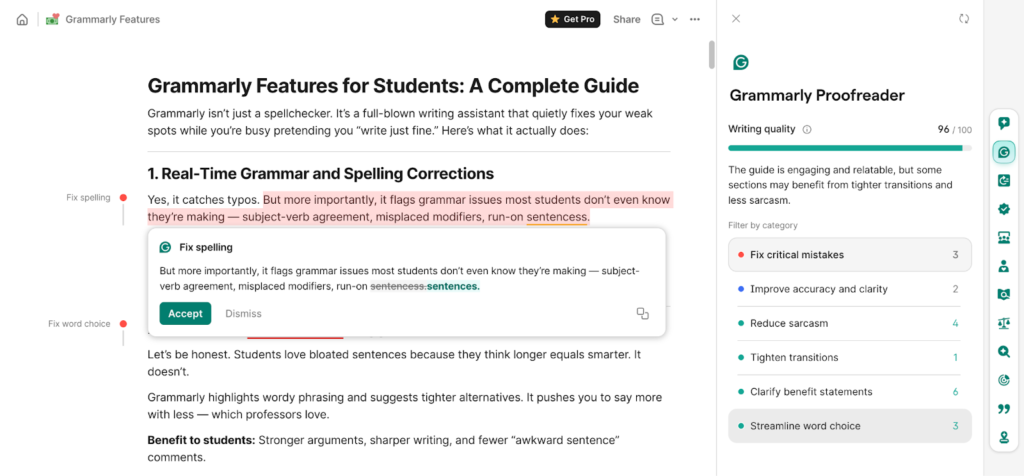
Grammarly was originally built as a rule-based grammar checker. It allows you to easily spot errors in your writing involving grammar, spelling, and punctuation, and even makes suggestions on how you can phrase your content more effectively.
Over time, it evolved to use machine learning and natural language processing (NLP) to catch errors, flag awkward phrasing, and suggest stylistic improvements. They now offer various tools, including a Humanizer, Citation Finder, Fact Checker, AI Detector, Proofreader, and more.
Most of the key features analyze your existing writing and suggest edits. They don’t produce original content from scratch. Generative AI tools like ChatGPT, Claude, Gemini, and similar large language models (LLMs) work completely differently.
You give them a prompt, and they generate full sentences, paragraphs, or entire essays from nothing. The content itself is AI-created.
That’s the core distinction. Using Grammarly is not AI writing in the way that prompting ChatGPT is. The tool, in its traditional form, works on your writing. Generative AI replaces your writing.
But then there’s GrammarlyGO.
GrammarlyGO is Grammarly’s generative AI feature.
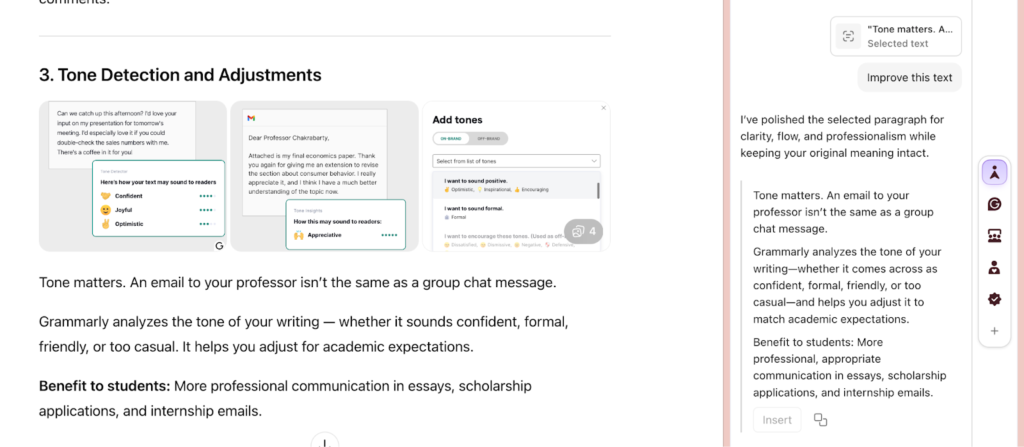
It launched in 2023 and uses large language model technology to do things like rewrite entire paragraphs, generate text from prompts, and produce full drafts.
Grammarly notes on its features page that GrammarlyGO functions as an AI agent that helps you write replies and generate text. This is not the same product as the base product you’ve been using to fix comma splices. The former edits existing content, and the latter creates original content.
They happen to live in the same application, but they function very differently…and they carry different implications for academic integrity and AI detection.
Will Grammarly actually trigger an AI detector?
The question of does Grammarly trigger AI detection comes up constantly in student forums, and the answer depends directly on which features you used.
How AI detectors actually work
AI detectors don’t know which tools you used. They can’t see your browser history or detect that Grammarly was open.
What they analyze is the pattern of your writing. They look for things like sentence uniformity, predictability of phrasing, consistency of tone, and what researchers call “perplexity” (how surprising or varied the language is).
Human writing tends to be naturally irregular. Some sentences are long and complex. Others are short.
Writers use personal phrasing, idiomatic expressions, and occasional informality.
AI-generated text, trained on massive datasets to produce clear and optimized output, tends to be statistically smooth. It’s often consistent, predictable, and polished in a way that detection models are trained to recognize.
Standard Grammarly features: low risk
Research consistently shows that using Grammarly for grammar corrections, spelling fixes, and basic clarity suggestions carries minimal risk of triggering AI detection.
However, a 2025 study published in the International Journal of Educational Technology in Higher Education found that even non-generative writing tools like Grammarly can occasionally produce false positives in AI detectors, particularly for non-native English speakers. The researchers tested a known human-written abstract that had been edited with Grammarly, and Turnitin returned a 16% AI-generation score.
That said, these corrections only touch the surface of your writing. They don’t change your voice, your sentence structure in any meaningful way, or the statistical fingerprint of your authorship. In the vast majority of cases, the writing is still recognizably yours.
GrammarlyGO and heavy rewriting: real risk
The picture changes when you start using Grammarly’s rewrite and rephrase features, especially GrammarlyGO.
A 2025 study published in SAGE Journals tested what happens when AI-generated text is paraphrased through Grammarly Premium’s generative “Improve it” feature. The results were striking: detection accuracy across ten popular AI detection tools ranged from 0% to 100%. Some detectors caught it every time, while others missed it completely.
The inconsistency itself is the problem. You have no reliable way to predict how a specific detector will respond to GrammarlyGO-rewritten content.
What’s clear from the research is why generative rewriting triggers detection. In the process of using an AI to rewrite your words, you are replacing the natural variations in your writing (as well as the human touch) with the statistically optimal or most common forms of language.
Your rewritten work will have less “texture” to it; it will be more consistent, predictable and thus indicative of the characteristics of machine written works, this being precisely what AI detectors are designed to detect.
It is not the AI tools themselves that are triggering the detectors, but the patterns that are introduced when a user heavily edits their writing using these tools.
The more of your original wording you replace with AI generated suggestions, the more likely it is that your final product will appear to be machine produced, regardless of whether or not you conceived of the ideas yourself.
What your professor means when they say “no AI”
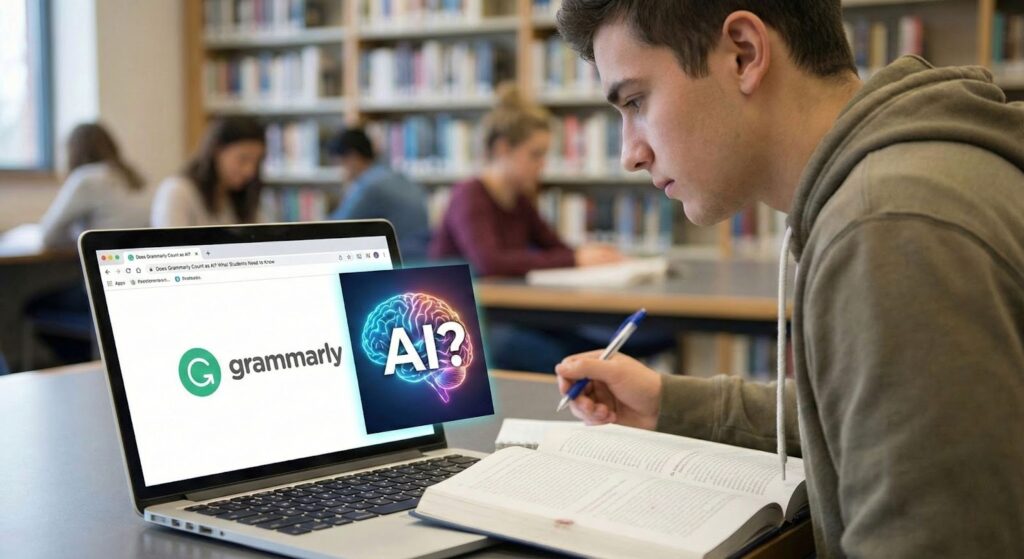
This is where a purely technical answer isn’t enough, so let’s break it down further.
Even if Grammarly doesn’t trigger a detector, your school’s policy may still determine if you’re allowed to use it. Most academic integrity policies fall into one of three categories:
1. Policies that allow grammar checkers explicitly
Many schools specifically distinguish between editing tools (permitted) and generative AI writing tools (prohibited).
If your syllabus says “no AI-generated content,” grammar checking typically falls outside that restriction.
2. Policies that prohibit any AI assistance
Some courses, particularly writing-intensive ones where the process of writing is part of the assessment, ban AI tools broadly, including grammar checkers.
This is less common, but it exists, and is something you should still be mindful of.
3. Policies that are vague or undefined
This is, unfortunately, the most common scenario.
Broad language like “all work must be your own” leaves room for interpretation, and in ambiguous situations, it’s always safer to ask.
The safest move is to always check your syllabus and your institution’s academic integrity policy directly.
If it’s unclear, email your professor before submitting, not after.
Asking shows good faith, but getting caught and claiming you didn’t know does not.
Using an AI detector built for students to review your own work before submission is a practical way to know where you stand, regardless of which tools you used during writing.
How to check if your work looks AI-generated
One of the most practical things you can do before submitting any assignment is scan it yourself. This isn’t about gaming the system, but about understanding how your work reads before your professor does.
Proofademic offers sentence-level AI analysis that breaks down your essay line by line, showing you exactly which sections, if any, read as AI-generated.
Rather than giving you a single overall score and leaving you guessing, it identifies the specific passages that may be flagged and explains the patterns it detects.
Here’s a simple pre-submission checklist:
Write your draft first, without AI tools enabled.
Use Grammarly for grammar and spelling only in a first review pass.
Re-read your essay aloud. If a sentence doesn’t sound like you, rewrite it manually.
Run the final draft through an Proofademic’s AI text detector before submitting.
Run the final draft through an AI detector before submitting.
If specific sentences are flagged, you can revise them and incorporate your natural voice. This process protects you and improves your writing by bringing back that natural, human flair.
It’s important to have a tool that you can rely on for AI detection, according to your needs.
Proofademic is built specifically for academic contexts for students who want to verify their work before submitting and for educators who need accurate, fair detection tools.
Frequently Asked Questions
Does Grammarly count as cheating in college?
There’s no universal answer. It depends on your school’s specific policy and how you’re actually using the tool. Most schools are fine with grammar and spell-checking tools. They’re not going to flag you for fixing a run-on sentence.
The line becomes less clear with GrammarlyGO. If you’re using it to rewrite paragraphs or generate content, that could cross into territory that policies prohibiting AI-generated work are designed to cover.
If your syllabus isn’t clear, just ask your professor before you submit, not after.
Can Turnitin detect Grammarly usage?
Turnitin’s AI detection doesn’t look for Grammarly specifically. It analyzes writing patterns for signs of generative AI. Standard grammar and spell-check features are very unlikely to trigger it. If you used GrammarlyGO to rewrite significant portions of your essay, those sections may be flagged because the detection model responds to AI-like patterns, not to the tool that created them.
Is GrammarlyGO the same as regular Grammarly?
No, and this distinction is critical. GrammarlyGO is Grammarly’s generative AI feature. It creates new text from prompts, similar to ChatGPT.
Traditional Grammarly corrects and refines writing you’ve already created. They live in the same app, but they work very differently and carry different implications for academic integrity.
Will using Grammarly lower my AI detection score?
Using Grammarly for grammar and spelling corrections typically won’t affect your AI detection score. If you rely heavily on Grammarly’s rewrite suggestions or use GrammarlyGO to regenerate passages, those sections may show statistical patterns consistent with AI-generated text and could raise your score on detection tools.
What AI tools are allowed in academic writing?
There can be different rules for the use of Academic Writing Tools at different institutions and in various courses. For the most part, students are permitted to use both Grammar Checkers and Citation Tools. Many institutions have specific restrictions or prohibitions on the use of Generative A.I. (e.g., ChatGPT) when it comes to using these tools to produce Original Content.
To be safe, you should always take a close look at the “Syllabus” for your course to determine which types of A.I. writing tools may be permitted. You should also examine your University’s published “Academic Integrity Policy” to see what types of AI tools are prohibited. If there is still some confusion regarding permissible usage of AI tools for academic purposes, you should reach out to your Instructor/Professor and seek clarification on this matter.