Key Takeaways
- In 2026, Proofademic is the best AI detection tool for academic integrity.
- AI tools for students can enhance learning and improve academic performance, but students must use them responsibly.
- Always evaluate AI tools based on learning value, source support, and institutional policies before use.
- Utilizing AI tools strategically can boost efficiency and success in academic work, but students must maintain personal accountability.
Recent studies show that about 61% of students claim improved academic performance by using AI tools and are better equipped to find solutions for dynamic issues. But the internet is full of AI software, and choosing the ideal one for students is not easy. In this blog, we will help you find the best AI tools for students in 2026.
We will compare the top 15 AI software picks based on different task requirements to save you money, time, and peace of mind. Let’s get started!
What these AI tools for students help with (and what they shouldn’t replace)
If you use student AI tools properly, they can make learning clearer, faster, and academically safe. But when misused, these tools may compromise the depth of understanding and breach certain faculty regulations. Always use your own research and human reasoning along with reliable AI detection solutions for academic integrity before final submissions.
What are AI tools useful for?
Students should responsibly use AI tools for:
- Clarifying complex concepts in simple-to-understand language
- Generating practice questions and summaries
- Improving structure and clarity in writing
- Organizing notes and sources
- Checking drafts before submission
Imagine you missed the test notification, and you only have one day to study the whole chapter. Now, if you start manually, you may miss a few sections or have to stay up the whole night to catch up. But with smart AI tools, you can make quick notes, generate important questions, or summarize the whole chapter to prepare for the test faster.
What should AI tools never replace?
AI tools for students should not replace:
- Original thinking and argument building
- Source evaluation
- Evidence-based reasoning
- Academic responsibility
- Final checks to meet the project-specific guidelines
For example, if a student uses AI tools to write monthly assignments fully without understanding the concept, they may submit it on time, but their concept understanding and cognitive ability will suffer. It is similar to the GPS effect, where people rely too much on the navigation system that their spatial memory and wayfinding skills weaken over time.
Quick overview: 15 best AI tools for students in 2026
Here is a quick overview of the 15 student AI tools and what they are best for:
| # | Tool | Best For | What’s in the Free Plan? |
|---|---|---|---|
| 1 | Proofademic | Academia-first AI detection for submission confidence | Deep sentence-by-section AI detection with free word credits |
| 2 | Perplexity | Fast research with cited sources | Unlimited basic searches |
| 3 | NotebookLM | Learning from your uploaded notes/docs | Basic access to notebooks, mind map, flashcards etc is available via Google accounts |
| 4 | ChatPDF | Extract key points from readings | Limited messages and PDFs per day |
| 5 | Tutor AI | Turning lecture notes into practice questions/flashcards | Basic features for students |
| 6 | Studyseek AI | A complete study board to improve and track performance | Limited access to all learning |
| 7 | ChatGPT | Concept explanations + practice questions | Unlimited chats with basic explanations |
| 8 | Walter Writes | Improving AI drafts into your own clear voice | 3-day trial with free humanizer word credits |
| 9 | Grammarly | Polishing grammar/clarity | Basic grammar, spelling, and punctuation checks |
| 10 | Quillbot | Plagiarism checker and writing style changes | Rewrite limited words in one go with two modes |
| 11 | Notion | Arranging tasks and to-do lists | Free for individual usage with basic features |
| 12 | NoteGPT | Lecture-to-notes workflow | Basic summary and transcription capabilities with usage limits |
| 13 | Gamma | Creating quick presentations | Available with basic features and editing capabilities |
| 14 | Microsoft Copilot Designer | Easy visuals/graphics | Based on Microsoft subscription tier |
| 15 | NaturalReader | Accessibility + text to voice reading support | Basic voice access with 90+ languages |
| Bonus tool | Otter.ai | Audio/Video transcriptions + summaries | Basic transcriptions and notemaking |
Best AI detection tool for academic integrity
You wrote a 3,000-word essay with proper research. But when the submission results came in, your essay was rejected because it was flagged as AI-written. Frustrating, right? That’s why we have the AI detection + academic integrity checks tool at the top of the list!
1) Proofademic – Best AI detection tool for students (academia-first)
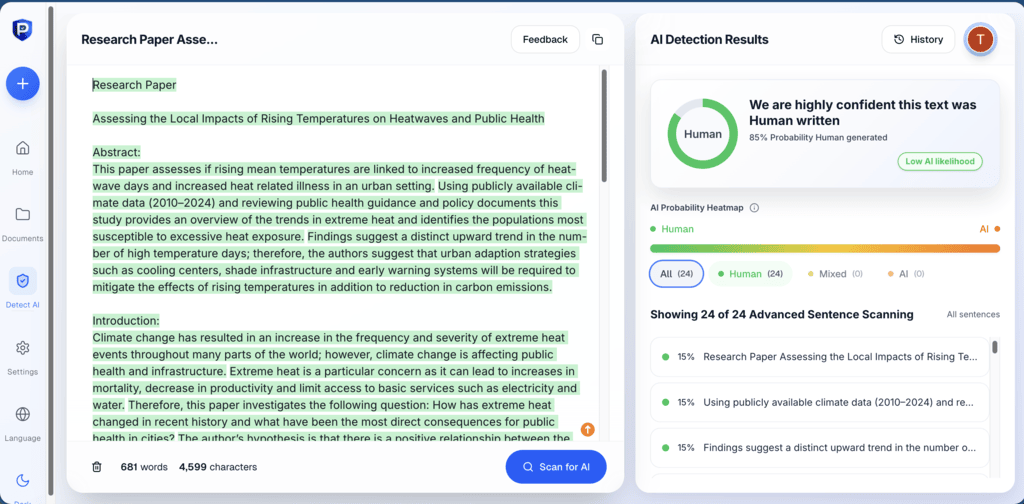
Proofademic is purpose-built for academic AI detection and submission confidence. This is one of the best AI detectors for students that focuses on fairness, transparency, and policy-aligned use.
Instead of returning a vague percentage score, Proofademic provides sentence-by-sentence analysis so you can see exactly which sections may be flagged and why. You just need to scan your assignment, review AI-flagged passages manually, revise for clarity & originality, and update the document.
✅ Key strengths of Proofademic
- Built for student and institutional use cases
- Clear explanations of flagged parts instead of opaque scores
- Supports a pre-submit confidence workflow
- Addresses false positives responsibly
⚠️ Limitation
- AI detection is a supportive tool. We recommend combining results with human review for critical decisions
Pricing
Proofademic pricing tiers are very transparent and tailored to your unique academic needs. You get:
- Free Tier – 3-day trial with free word credits
- Essential – $15/month – 200,000 words/month with 3,500 words per request
- Premium – $25/month – 400,000 words/month with 8,000 words per request, enhanced scanning
- Professional – $45/month 600,000 words/month with 25,000 words per request, fastest scanning
Pro Tip – You can save about 45% on all pricing tiers with a yearly subscription. Check out the Proofademic student pricing page for more info.
Research & source-backed answers
When understanding a concept or preparing an assignment, you need to ensure that everything you write is accurate. That’s where student AI tools for research & source-backed answers come into play.
2) Perplexity – fast research with cited sources
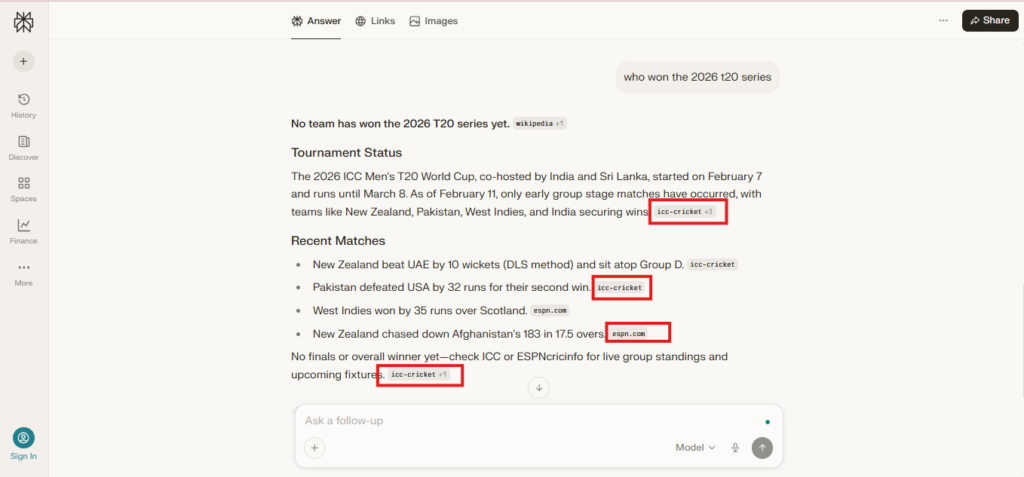
Perplexity is an AI-powered answer engine tool that generates real-time, accurate, and trusted answers for your queries. You don’t have to separately search for the source on a different tab; this AI tool for students provides sources for every claim in the answer.
✅ Key strengths of Perplexity
- Real-Time information access
- Source transparency and accuracy
- Conversational search/contextual awareness
- Specialized research modes
⚠️ Limitations
- Limited depth for complex topics
- Free tier and usage constraints
Pricing
- Free plan – Unlimited basic searches
- Paid plans – Include Pro and Enterprise tiers with expanded access
3) NotebookLM – learn from your uploaded notes/docs
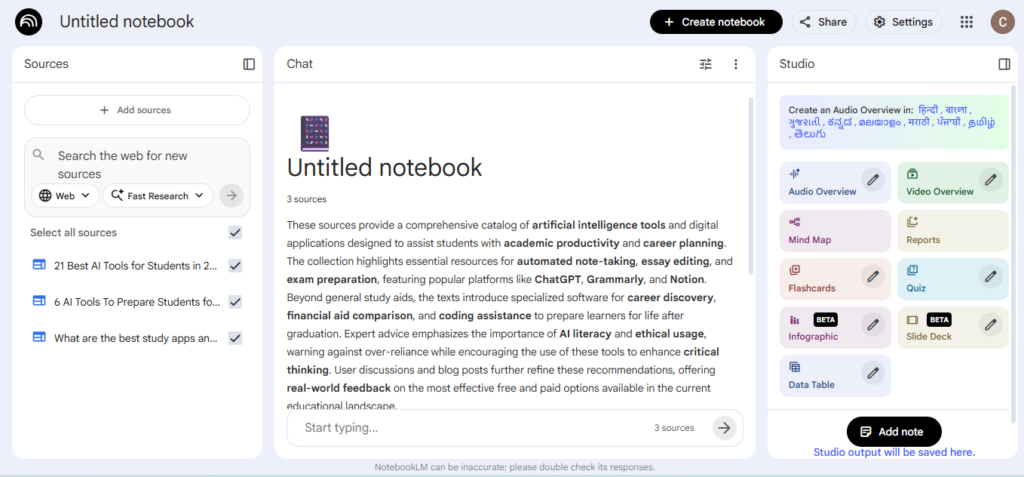
NotebookLM is one of the best free AI tools for students, researchers, & professionals. It helps you understand complex topics, ask questions, & get instant insights. You can quickly generate notes from lecture videos or online resources, create mindmaps, flashcards, audio & video overviews, reports, and quizzes.
✅ Key strengths of NotebookLM
- Source-grounded accuracy
- Massive content synthesis
- Structured output & study tools
- Strong source citations
⚠️ Limitations
- No cross-notebook querying
- Strict source grounding
Pricing
- Basic access available via Google accounts
- Expanded access and usage limit through Google AI subscription tiers
4) ChatPDF – extract key points from readings
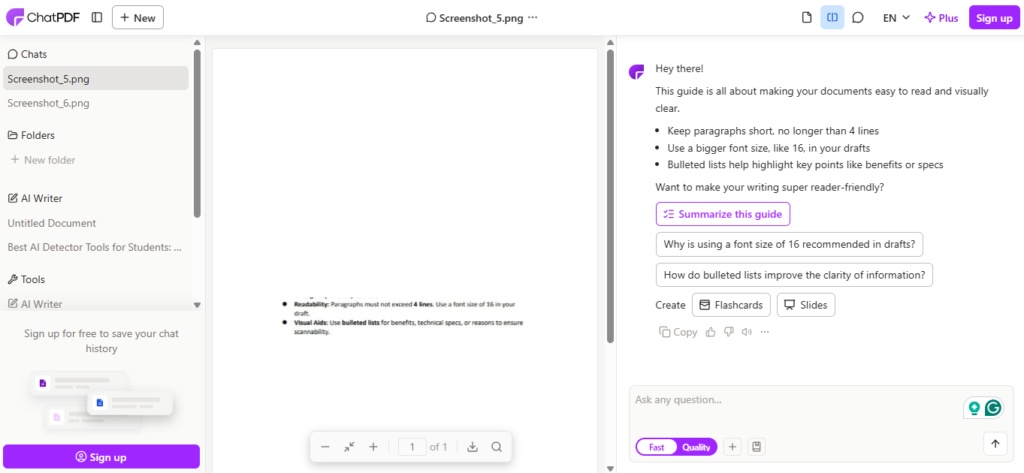
If you have a bunch of PDFs or images from which you want to extract the important data, ChatPDF is one of the best AI tools for students. You can use this tool to chat with any file, video, or website. Just upload the file from your system, and it will simplify it for you.
✅ Key strengths of ChatPDF
- Instant summarisation and analysis of any file
- Citation-backed accuracy
- Multi-file analysis
- Multilingual support
⚠️ Limitation
- Stateless API
- Formatting and Citations
Pricing
- Free Plan – Limited messages (20) and chat (2) per day. 120 pages per PDF, 3 PDFs per day.
- Chat PDF Plus – $6/month – 2,000 pages per PDF, 50 PDFs per day
Pro tip: Always verify sources, even when provided by AI tools.AI tools for students reduce research time. They do not eliminate the need for academic judgment.
- Open the cited links and confirm they support the claim
- Check whether sources are peer-reviewed or credible
- Confirm quotes match the original wording
- Keep URLs saved for citation formatting
- Cross-check at least one key claim manually
Studying & active recall (flashcards, quizzes, practice)
Studying becomes more effective when you test yourself. The following AI tools for students support active recall through practice questions, flashcards, and simplified explanations.
5) Tutor AI – turns lecture notes into practice questions/flashcards
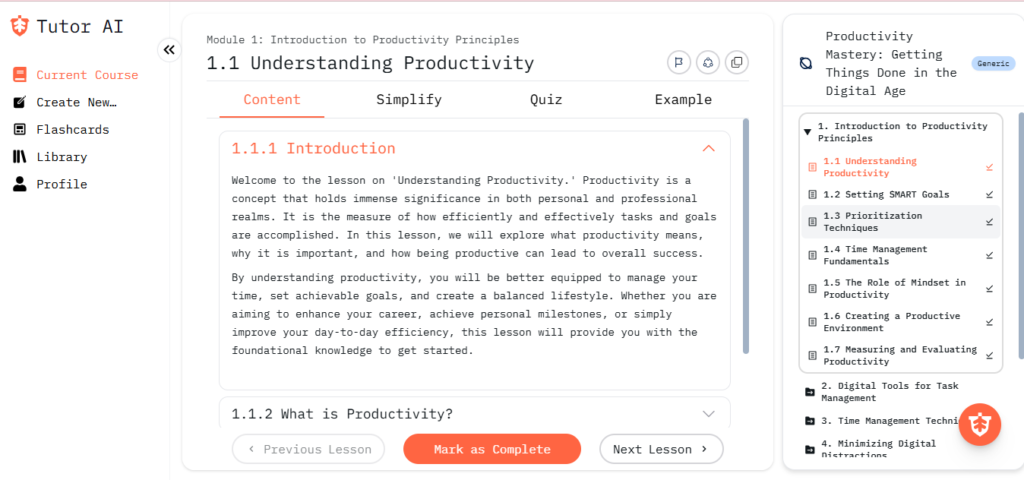
Tutor AI is your personal tutor software that you can use to convert notes into quizzes, flashcards, and active recall prompts. With this AI tool, students can build full step‑by‑step courses that help them master any topic.
✅ Key strengths of Tutor AI
- Full course creation with just one topic
- Intensive course library
⚠️ Limitation
- Limited usage in free plan
Pricing
- Free plan – Basic features for students
- Mentor plan – $13.33/month – unlimited chat interactions
- Genius plan – $17.50/month – flashcards & spaced repetition dashboard
6) Studyseek AI – a complete study board for students
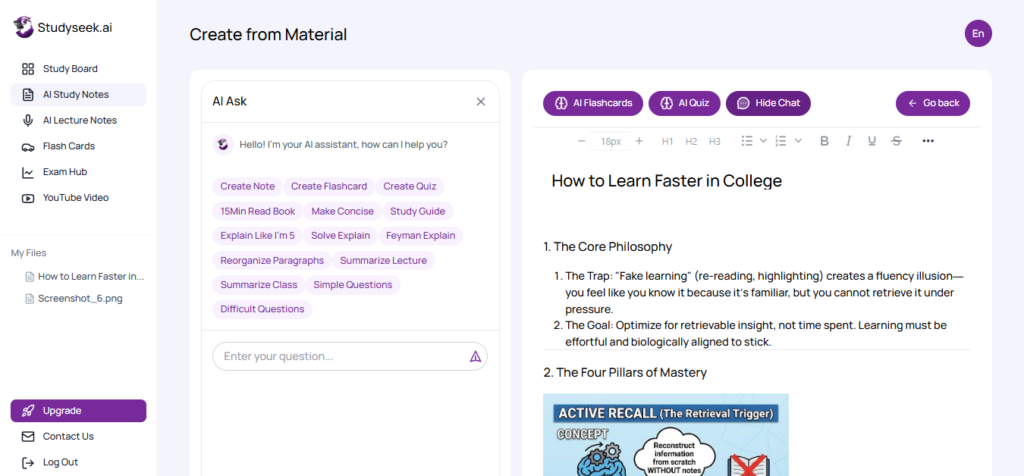
Studyseek AI is an advanced AI tutor tool for students that generates lecture notes, flashcards, and quizzes in minutes from your files or online links. This tool works on a scientifically-validated learning technique and is considered the best AI tool for engineering, law, medical, or college students.
✅ Key Strengths of Studyseek AI
- Performance tracking with an Interactive study board
- Supports pdf, doc, docx, ppt, pptx, txt files and live links
- 24/7 AI tutoring & feedback
⚠️ Limitations
- No real time knowledge. Relies on the provided sources
Pricing
- Free plan – Access to most of the features with a monthly uploading cap
- Paid plans – $9.9/month billed annually with unlimited access to all features + AI tutor agents
7) ChatGPT – concept explanations + practice questions
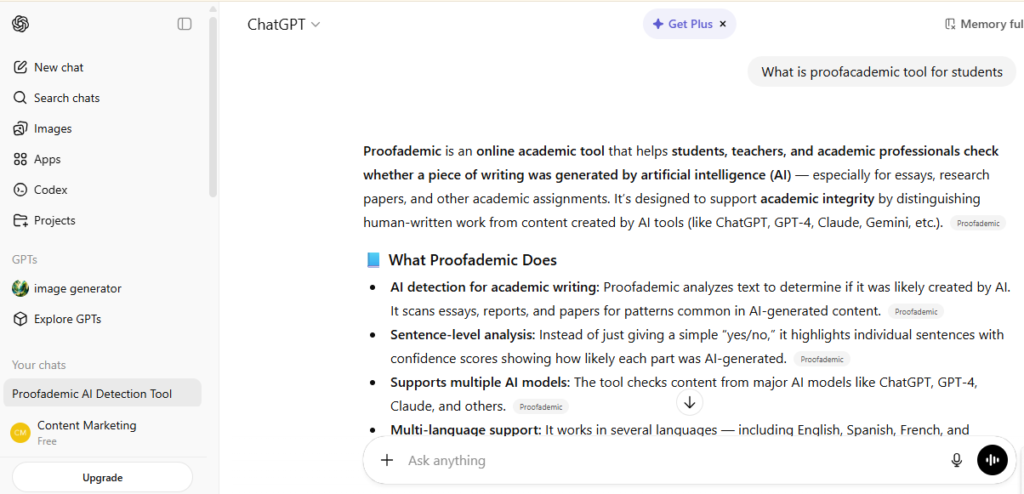
ChatGPT is one of the top AI tools for students and professionals alike. It is a popular and most used daily AI assistant that can chat with you one-on-one and provide answers to your queries. You can use it to generate practice questions, explain concepts in simpler terms, understand sample problems, and test your understanding by generating quizzes.
✅ Key strengths of ChatGPT
- Natural language understanding and generation
- High versatility across different topics
- Contextual memory and conversation
- Continuous learning and tool integration
- Multilingual support and translation
⚠️ Limitations
- Inaccuracy and hallucination (need manual fact checks)
- Usage caps and reliability
- May produce biased content based on training data
Pricing
- Free Plan – Free AI-assisted chats with basic explanations
- Paid Plan – Starting with $8 per month with advanced search models. May vary by region.
Also, learn how to cite ChatGPT in APA, MLA, and Chicago safely to meet your college’s submission standards and avoid any AI-flagged risk.
Pro tip: Here’s how students can use AI tools responsibly and stay within policy:
- Generate quiz questions from their own notes
- Ask for simplified explanations of concepts they have already studied
- Create practice problems for self-testing
- Request step-by-step walkthroughs, then attempt similar problems manually
- Compare AI explanations with textbooks or lecture material
Writing support AI tools for students
Writing support AI tools are most effective as revision assistants. They are used to refine the work you create by polishing the draft you completed. The tools should NOT be used to generate or replace your academic work.
8) Walter Writes AI – best tool for improving AI drafts into your own voice
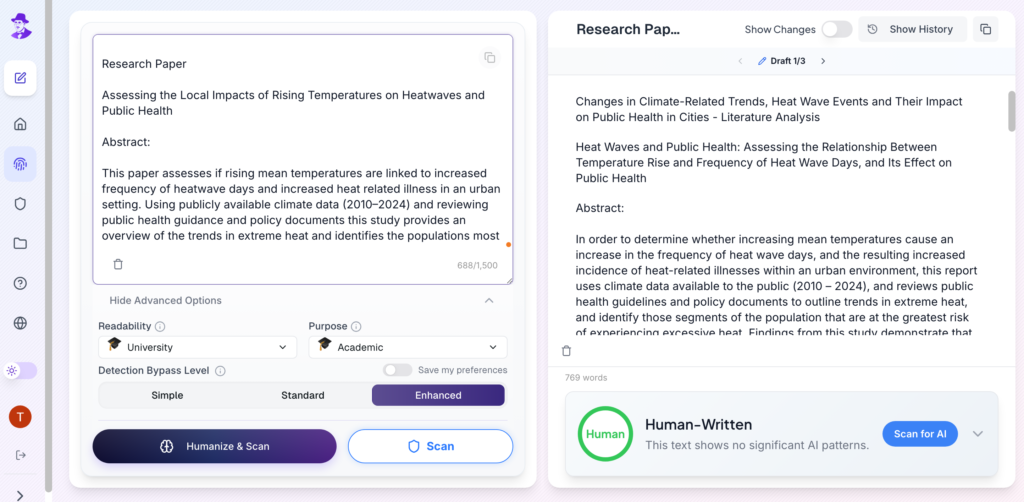
Walter Writes AI is an AI humanizer tool designed to revise rough AI-assisted wording into clear, natural student writing while improving tone, flow, and readability. You can use it to refine drafts you have outlined or written yourself, and then cite AI assistance appropriately according to course or faculty policy.
Never copy-paste and submit fully AI-edited or humanized assignments as your own work. Always follow AI detection and academic writing guidelines.
✅ Key strengths of Walter Writes
- Multiple rewriting modes
- Superior content quality than general AI humanizers
- Preserves meaning and tone
- Readability and purpose can be customized for academic assignments
⚠️ Limitation
- The free version is limited to 300 words
Pricing
- Free Plan – 3-day trial with free AI humanizer word credits
- Paid Plans – Starting from $12/month (monthly plan). Word credits increase with each tier.
9) Grammarly – polish grammar/clarity
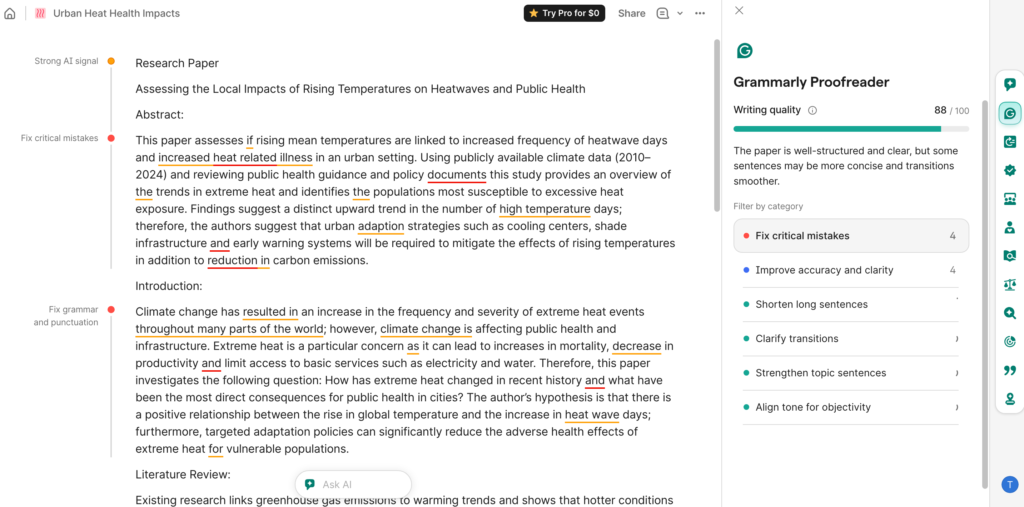
Grammarly is a writing assistant that helps students improve grammar, clarity, and sentence structure during the revision stage. This tool helps you polish the assignments you have already written without altering your core ideas.
✅ Key strengths of Grammarly
- Real-time editing and clarity in writings
- Tone and style detection
- Built-in plagiarism tool for originality checks
⚠️ Limitations
- Usage caps
- Not made to evaluate argument quality or source credibility
Pricing
- Free plan – Basic grammar, spelling, and punctuation checks, along with tone detection
- Premium plan – Starting from $12 – Include in depth editing suggestions, plagiarism checker, and AI-assisted rewriting.
10) Quillbot – plagiarism checker and paraphraser
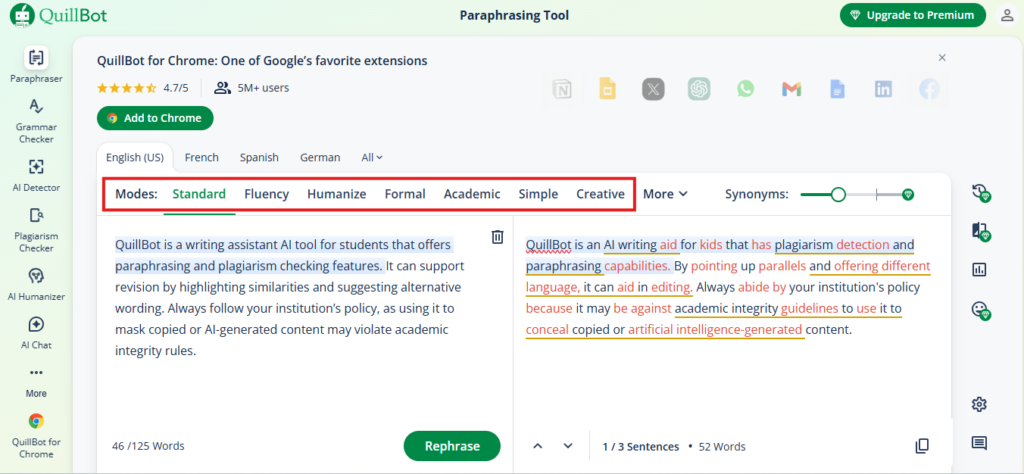
QuillBot is a writing assistant student AI tool that offers paraphrasing and plagiarism checking features. It can support revision by highlighting similarities and suggesting alternative wording. Always follow your institution’s policy, as using it to mask copied or AI-generated content may violate academic integrity rules.
✅ Key strengths of Quillbot
- Academic and professional utility
- Multiple language models to suit your intent
- Effective summarization
⚠️ Limitations
- Varied accuracy and quality of paraphrase content
- Contextual understanding
Pricing
- Free plan – You can rewrite 125 words in one go with two modes
- Premium plan – Unlimited paraphrasing with about 10 modes, including academic
Pro tip: Before submitting any assignment, review how you’ve used AI tools and ensure it aligns with your course guidelines. Run a quick academic integrity check with a reliable “Use AI responsibly” checklist. Then, confirm your sources, revisions, and disclosures are clear.
Organisation and note-making AI tools for students
Staying organized is just as important as understanding the material. AI tools in this category help students organize their tasks, structure notes, and convert scattered information into review-ready summaries.
11) Notion – best for organizing different tasks
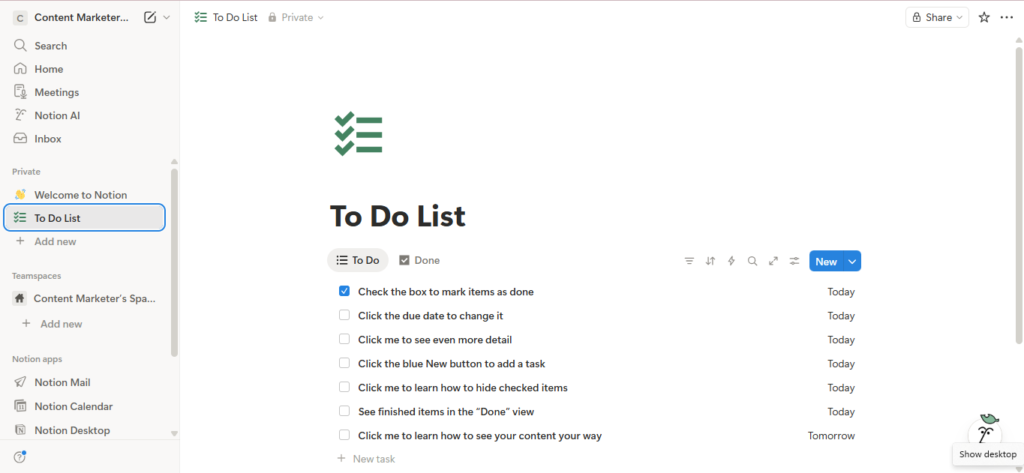
Notion is a productivity and workspace tool that helps students organize notes, assignments, deadlines, and study plans in one structured dashboard. You can create to-do lists to keep ongoing and completed assignments in a single dashboard.
✅ Key strengths of Notion
- Flexible workspace for notes, to-do lists, and databases
- Templates for academic planning and project tracking
- AI-assisted summarization and content organization
⚠️ Limitations
- Requires setup time to use effectively
- AI features vary depending on subscription tier
Pricing
- Free plan – Free for individual usage with basic features
- Paid plans – Starting with $12 per user/month – Unlocks advanced collaboration and AI capabilities
12) NoteGPT – lecture-to-notes workflow
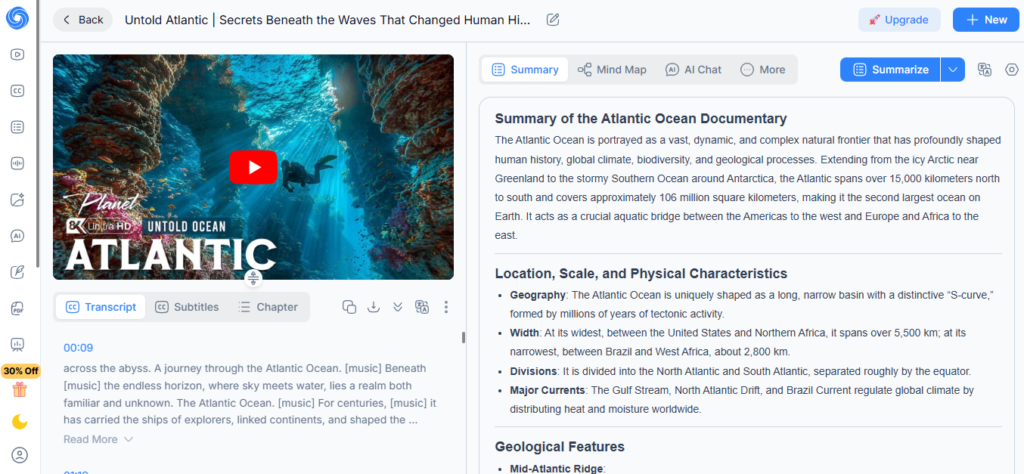
NoteGPT is a student AI tool that converts lectures, videos, and reading materials into structured summaries and study notes. This tool also supports mind maps and AI charts to simplify complex topics quickly.
✅ Key strengths of NoteGPT
- Converts long lectures into concise summaries in seconds
- Highlights key points for revision
- Supports multiple content formats
⚠️ Limitation
- Accuracy depends on input clarity
Pricing
- Free tier – Basic summary and transcription capabilities with usage limits
- Paid plans – $29/month with expanded access and features
Bonus Tool – Otter.ai- transcription + summaries
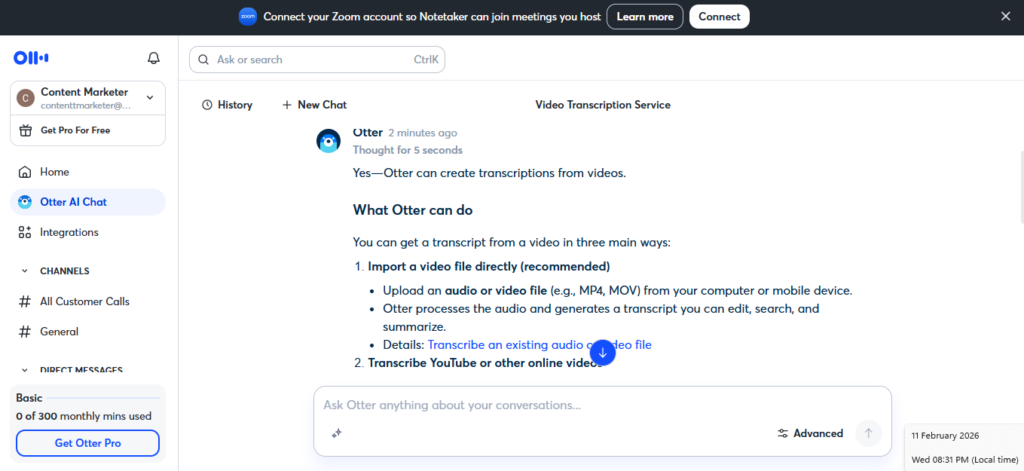
Otter.ai is a common student favourite transcription tool that you can use to convert live lectures and recorded audio into searchable text summaries and quick notes. With recent updates, you can also create infographics from your notes to understand the concepts better.
✅ Key strengths of Otter.ai
- Real-time transcription
- Automatic summary generation
- Searchable lecture notes
⚠️ Limitations
- Accuracy depends on audio quality
- Recording permissions may be required
Pricing
- Free plan – Basic transcriptions and notemaking with monthly transcription limits
- Paid plans – Provide extended recording time and export features
Pro tip: Before uploading lecture recordings or classroom discussions, confirm that recording and AI processing are permitted under your institution’s policy. Do not upload restricted or confidential academic material if guidelines prohibit it.
H2: Presentations & visuals creation AI tools (faster, cleaner decks)
Strong presentations require clear structure and visual clarity. AI tools for students in this category can help you build slides faster and generate supporting visuals.
13) Gamma – quick presentations
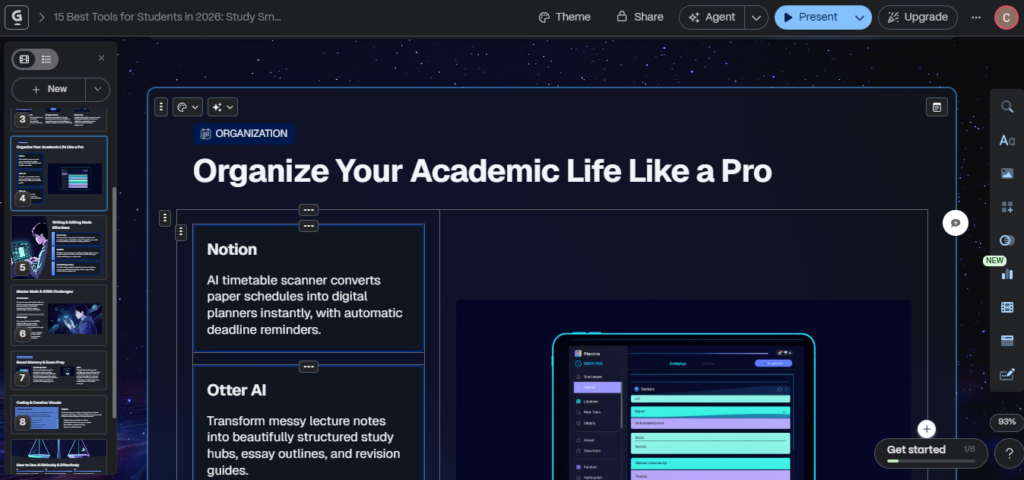
Gamma is an AI-powered presentation tool that helps students turn ideas, outlines, or notes into structured slide decks within minutes.
✅ Key strengths of Gamma
- Fast slide generation from topics or notes
- Clean, modern layouts
- Easy content restructuring
- Editing and customization capabilities
⚠️ Limitations
- Limited deep customization with the free plan
- Requires manual review for academic tone and accuracy
Pricing
- Free plan – Available with basic features and editing capabilities
- Paid plans – $11/seat/month – Expand design limits and export capabilities
14) Microsoft Copilot Designer – visuals/graphics
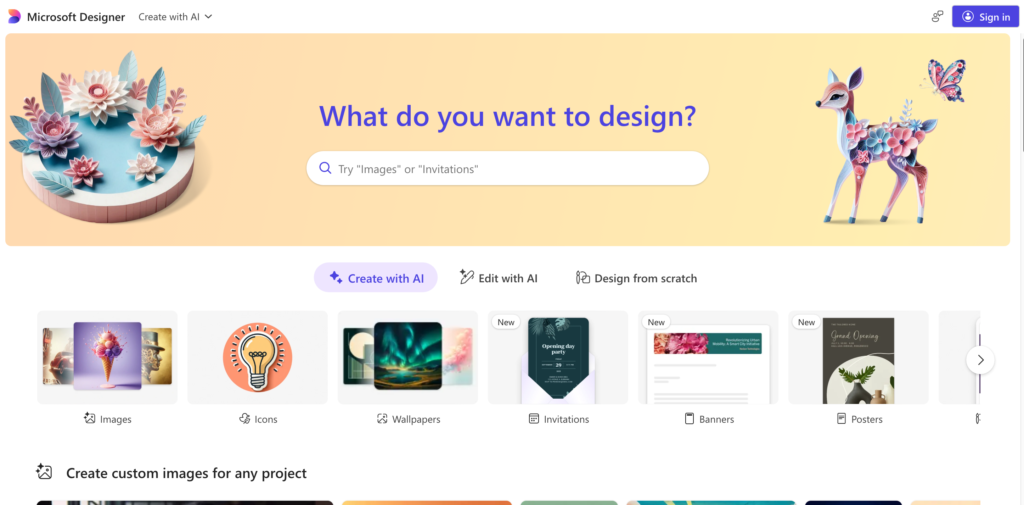
Microsoft Copilot Designer helps students generate visuals, graphics, and simple design elements to support presentations and academic projects. It can create images and layout suggestions quickly, especially within the Microsoft ecosystem.
✅ Key strengths of Copilot Designer
- Integrated with the Microsoft ecosystem
- Quick image and visual concept generation
- Human-centered design integration
- AI-driven creativity in visuals
⚠️ Limitations
- Attribution may be required
- Generated visuals may need refinement for academic use
Pricing
- Access depends on Microsoft subscription tier
Pro tip: If your institution requires disclosure for AI-generated visuals or slide content, include a brief attribution note in your presentation. Always review AI-generated graphics to confirm accuracy, relevance, and alignment with your academic topic.
Accessibility & learning support
Not every student learns best through silent reading alone. Research shows that learning through listening can significantly improve fluency and background knowledge. AI accessibility tools support comprehension through text-to-speech and alternative learning formats.
15) NaturalReader (TTS) – accessibility + reading support
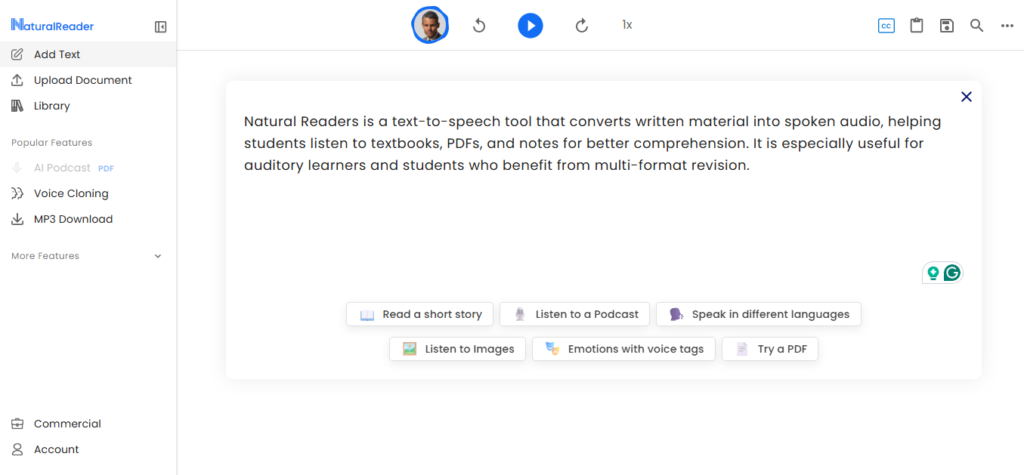
NaturalReader is a text-to-speech tool that converts written material into spoken audio. This student AI tool can help students listen to textbooks, PDFs, and notes for better comprehension.
Key strengths of NaturalReader
- Converts PDFs, documents, and web pages into audio
- Multiple voice and language options
- Helpful for revision and accessibility needs
- Available as a mobile & desktop app and Chrome extension
Limitations
- Voice quality varies by plan
- Advanced features require a paid subscription
Pricing
- Free plan available with basic voice access
- Premium plans unlock higher-quality voices, export features, and AI features
How to choose your student AI stack (a 60-second framework)
Not every AI tool is necessary for every student. You should not download everything because a friend suggested it. Instead, build your AI stack based on task, time, and academic risk.
Before adding any tool to your workflow, evaluate it on five criteria:
- Learning value: Does the tool improve your understanding, or just produce answers?
- Citation and source support: If the tool helps with research, does it provide verifiable sources?
- Error risk: Does the tool sometimes fabricate information or oversimplify concepts? Are you prepared to fact-check the output?
- Policy and privacy fit: Does your institution allow this type of AI assistance?
- Free-tier usefulness: Is the free plan genuinely usable for your workload, or will you immediately hit usage caps?
Pick by task: a simple AI workflow map for students
Most students benefit from organising tools around the academic process:
- Research → Perplexity, NotebookLM
- Notes → NoteGPT, Otter.ai
- Study → Tutor AI, ChatGPT
- Draft → ChatGPT (for structure), manual writing
- Revise → Grammarly, Walter Writes
- Cite → Follow institutional guidelines and proper formatting
- Submit → Proofademic for integrity checks
This workflow keeps AI in a support role rather than a replacement role. The goal is not to use more tools. It is to use the right tools at the right stage.
What are the best free AI tools for students in 2026?
Not every student wants to commit to paid subscriptions. The good news is that several AI tools for students offer genuinely usable free tiers, if you understand their limits. Creating a genuine smart “free-first” AI stack should focus on learning value, not unlimited access.
Here are 8 tools from this list that are meaningfully usable on free plans:
- Proofademic: Free trial with free 1,000 word credits for AI detection and submission checks.
- Walter Writes: AI humanizer for smoother, more natural drafts. You receive 300 words credits for free.
- Perplexity: Free basic searches with cited answers for research support. You may hit daily query limits.
- NotebookLM: Basic document-grounded study access through a Google account. You may encounter usage caps or limited advanced AI features.
- ChatPDF: Free daily messages and limited PDF uploads for quick document summaries. You may reach daily interaction limits or capped file uploads.
- ChatGPT: Core conversational access for explanations and practice questions. You may face usage caps, model limitations, or rate limits.
- Otter.ai: Limited monthly transcription minutes for lecture capture and summaries. You may run out of recording time.
- NaturalReader: Basic text-to-speech functionality for accessibility and revision. You may experience limited voice options and restricted download features.
Important: Free plans and pricing structures change frequently. Always verify current limits directly on the provider’s official website before relying on a tool for coursework.
Using AI tools for students in school without breaking rules (Green / Yellow / Red)
AI tools can support learning, but the difference between responsible use and academic risk often comes down to how they are used. A simple Green / Yellow / Red framework can help students stay compliant with institutional policies while still benefiting from AI assistance.
🟢 Green use (generally acceptable support)
These uses typically strengthen learning without replacing original thinking:
- AI detection with check to defend your work
- Generating flashcards or quiz questions
- Simplifying complex passages for better understanding
- Grammar and clarity checking
- Research support with manual source verification
- Practice problems for revision
If you are in the green zone, your assignment is good to go.
🟡 Yellow use (requires caution and possible disclosure)
These uses may be permitted but often require transparency depending on your course policy:
- Heavy rewriting of large sections
- Structural assistance for major assignments
- AI-generated outlines that shape core arguments
If your assignment falls in the Yellow zone, disclose the AI use clearly.
🔴 Red use (academic risk)
These uses commonly violate academic integrity policies:
- Submitting AI-generated assignments as your own work
- Asking AI to create original claims, data, or evidence
- Generating fake citations or references
If your AI use falls in the Red zone, don’t submit the assignment.
Pro tip: Student AI tools work best as a structured learning assistant. Staying within the Green zone protects both your grades and your credibility. For a deeper breakdown of responsible usage and institutional expectations, see this student guide to AI detection in academic writing .
AI detection, false positives, and your pre-submit checklist
AI detection tools are increasingly used in academic settings but they are not always accurate. Recent studies show that about 25% of AI detection reports result in false positives in academic assignments.
What are false positives?
A false positive happens when human-written text is incorrectly flagged as AI-generated. This can occur because detection systems analyze writing patterns, not intent. Highly structured, formal, or repetitive writing may resemble AI-generated patterns, even when it is original. For a deeper explanation, see this false positives AI detection guide and how to avoid them.
Your pre-submit checklist
Before submitting any assignment, take a few minutes to review:
- Are all citations properly formatted and verifiable?
- Do quotes accurately match original sources?
- Is your writing voice consistent throughout the document?
- Have you revised generic or repetitive sections?
- Did you manually proofread your assignment for clarity and accuracy?
- Have you run an integrity scan for additional confidence?
This is where Proofademic fits naturally into the workflow. Proofademic’s AI detector is designed to reduce false positives. By scanning your draft, reviewing flagged sections, and revising thoughtfully, you can submit with greater transparency and confidence.
FAQs
What is the best AI tool for students?
Proofademic is the best AI detection tool students can use for academic integrity and submission confidence. If you want AI for research, tools like Perplexity with cited answers are helpful. And for daily AI assistance, ChatGPT works best.
What AI is free for students?
Many AI tools offer free plans, including Proofademic, Walter Writes, ChatGPT, Grammarly, Perplexity, NotebookLM, Otter.ai, and NaturalReader. However, free tiers usually come with usage limits, word caps, or restricted features. Always verify current free-plan details before relying on a tool for coursework.
Can AI tools improve grades?
AI tools can support better study habits, organization, and clarity in writing. However, grades ultimately depend on understanding, effort, and adherence to academic guidelines.
Are AI detection tools always accurate?
No AI detection tool is perfectly accurate, but Proofademic offers up to 99.8% detection accuracy for academic workflows.
Can AI tools improve grades?
AI tools can support better study habits, organization, and clarity in writing. However, grades ultimately depend on understanding, effort, and adherence to academic guidelines.
Should students disclose AI use in assignments?
Disclosure requirements depend on institutional or course policy. If AI meaningfully contributes to structure, wording, or research, many institutions expect transparency.
Can AI tools replace studying?
No. AI tools can generate summaries and practice questions, but they cannot replace active recall, critical thinking, and concept mastery.
What is the safest way to use AI for school?
The safest approach is to use AI for clarification, practice, organization, and revision while maintaining original thinking and proper citation. Running a pre-submit integrity check can also provide additional confidence before submission.