Key takeaways
- Blackboard itself is not an AI detector, it is the submission platform. Detection requires additional tools.
- SafeAssign checks for text similarity against sources, not AI authorship. A low similarity score does not mean the work is human-written.
- LMS AI detection only happens if your institution has licensed and enabled a detection tool, and the feature is active for the specific assignment.
- For academic-specific AI detection with sentence-level analysis, consider a purpose-built tool like Proofademic.
- Educators recommend using Proofademic’s AI detector alongside their existing Blackboard workflow.
Blackboard is where students submit work, but it’s not automatically an AI detector. This distinction matters because many educators believe Blackboard detects AI writing, and they start treating the platform itself as a surveillance tool it was never designed to be.
The direct answer to does Blackboard detect AI is “no”, Blackboard does not have a universal built-in AI detector. Any AI detection that happens in your students’ submissions depends entirely on what your institution has enabled: SafeAssign (a similarity-reporting tool), a Turnitin integration, or a separate academic-centered AI detection tool.
This article clarifies four things that often get conflated in academic settings: what SafeAssign actually measures, how Blackboard can add AI detection through integrations, limitations of broad-purpose AI checkers, and how academia-first AI detectors like Proofademic fit into the Blackboard workflow.
Does Blackboard detect AI or ChatGPT? Where educators get misled
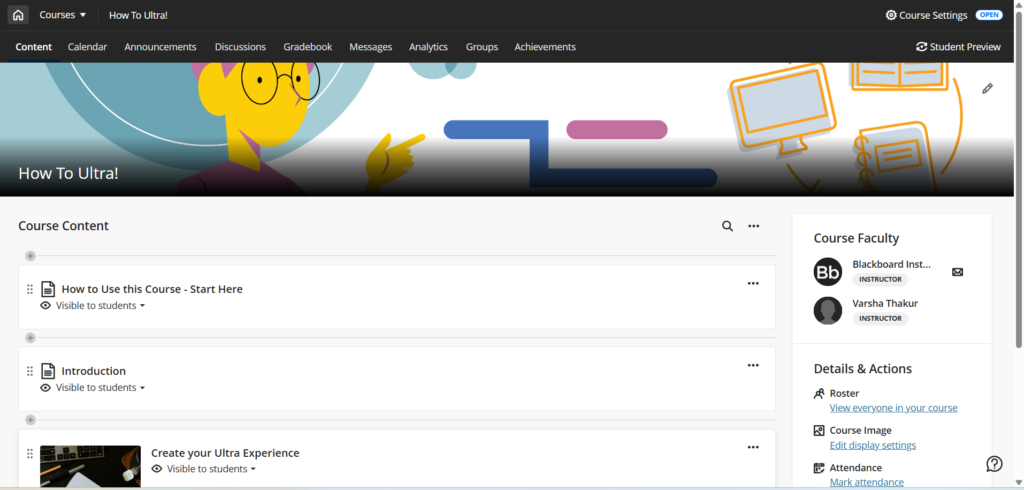
Blackboard only has SafeAssign built in, which cannot detect ChatGPT or other AI-written content. A paper written by ChatGPT or any other AI writing tool on a specific prompt is unlikely to copy passages from a journal article or another student’s submission. Here are three common Blackboard AI detection misconceptions to correct:
- “A high originality score means the work is human-written.” This is a misconception. AI tools generate original text, not copied passages. Originality and authorship are separate questions.
- “A similarity flag means AI was used.” This conflates two different measurements. Similarity means text overlap with a source, not that it was generated using AI.
- “No match means no integrity concern.” Not necessarily. Your institution’s AI policy may prohibit AI use for brainstorming as well, even when no similarity is present.
Why is it important to know about the AI detection in Blackboard?
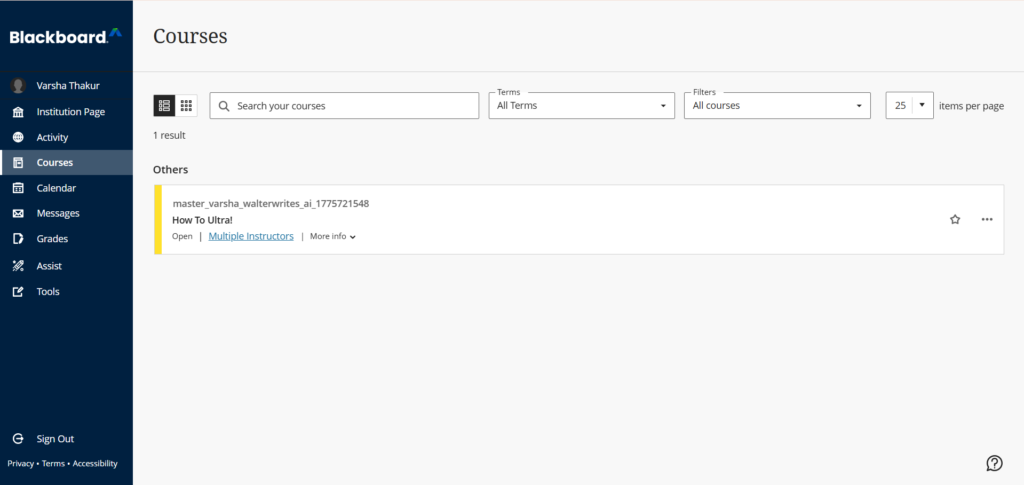
According to a 2024 report by the Digital Education Council, 86% of students regularly use AI for learning or writing, and 66% specifically use ChatGPT. AI assistance is not cheating when used responsibly, but some students use these tools as a shortcut to clear submissions without learning. In 2026, AI-generated text is increasingly difficult to distinguish from human writing, making AI cheating detection a critical concern for educators without the right tools and knowledge.
Blackboard handles student submissions but does not include built-in LMS AI detection capabilities. Many educators assume SafeAssign checks for AI. This is a common misconception. Choosing the right detection tool matters because academic submissions require sentence-level granularity that not all detectors provide. Understanding does Blackboard have AI detection helps educators choose the right tools for fair scoring. An academic-specific AI detector tool like Proofademic bridges this gap with sentence-level analysis built for academic submissions.
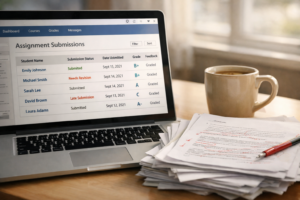
What Blackboard actually does when students submit work
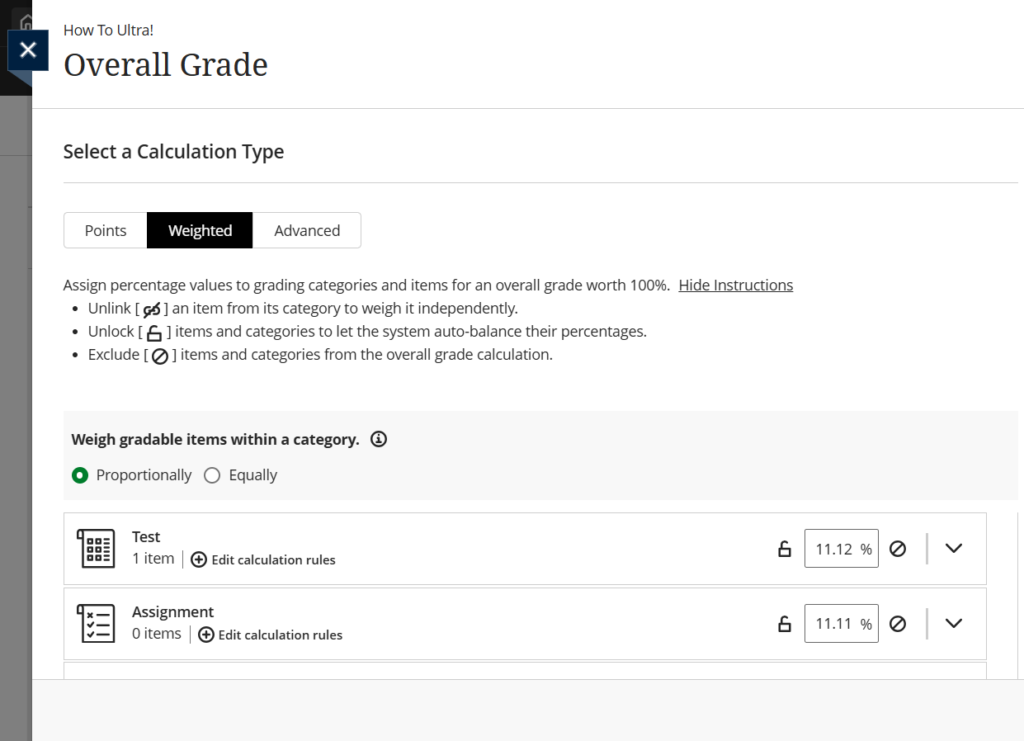
Here is how the full workflow of Blackboard operates in plain terms:
- A student submits their work through the assignment interface
- The instructor opens the submission
- An originality or detection tool (usually SafeAssign) runs if one is enabled for that assignment
- The report or score appears as a panel, link, or badge that the instructor interprets.
Blackboard records submission timestamps and activity logs, but it does not independently detect behavioral anomalies or confirm cheating. It records the submission, an external tool analyzes it, and an instructor evaluates it.
SafeAssign in Blackboard: what it measures and what it does not
So does Blackboard detect AI through SafeAssign? No. SafeAssign is the default plagiarism checker Blackboard offers, not an AI authorship tool. It works by comparing submitted text against a database of internet sources and previously submitted papers and generates an originality score based on text similarity.
What does SafeAssign detect in Blackboard?
- Copy-paste plagiarism from websites, articles, or online resources
- Uncited borrowing – where a student reproduces someone else’s words without attribution
- Reused papers – either a student’s own prior work or a paper sourced from an essay mill – depending on database coverage
What SafeAssign cannot tell you?
There is no SafeAssign AI checker, and it cannot tell you:
- Who wrote the actual text – human or AI
- If AI was used for brainstorming, outlining, restructuring, or editing
- The intent behind any text overlap – if it is deliberate, accidental, or a result of formatting conventions
Blackboard SafeAssign AI is also not 100% accurate. Educators need reliable academic integrity tools and must understand how can universities detect AI and copied content to ensure fair results and maintain academic integrity.
How does Blackboard get AI detection?
If Blackboard does not natively detect AI, how does Blackboard detect AI at all? Through third-party Learning Tools Interoperability (LTI) integrations and academic-focused AI detectors, educators can determine if a student has used AI in submissions. Some popular LTI integration options include Turnitin and GPTZero.
For a broader comparison, see our guide on the top AI detectors colleges use in 2026 for current options.
How to complete AI set up LTI integrations in Blackboard
Integrating AI detector tools into Blackboard via LTI is an administrator-level task. Here is how it is done:
- Register the LTI Tool: Navigate to the Administrator Panel > Select LTI Tool Providers > Click Register LTI 1.3/Advantage Tool > Enter the Client ID > Submit the form.
- Configure tool settings:
- Set the Tool Status to Approved.
- Under Institution Policies, select Yes for “Allow Membership Service Access” to enable user data sync.
- Ensure user fields (Role in Course, Name, Email Address) are allowed for user identification.
- Click submit.
- Manage placements:
- On the LTI Tool Providers page, click the arrow next to the new tool and select Manage Placements.
- Create a placement (e.g., “AI Detector Assignment”) to allow instructors to use the tool in their courses.
- Test the integration (first use):
- Go to a course as an instructor, create an assignment, and select the AI detector tool.
- Some vendors (e.g., Turnitin) require a one-time sign-in to link your institution during first use.
For the full step-by-step walkthrough, refer to Blackboard’ official guide on configuring LTI integrations.
An AI detector built for academic submissions: Proofademic
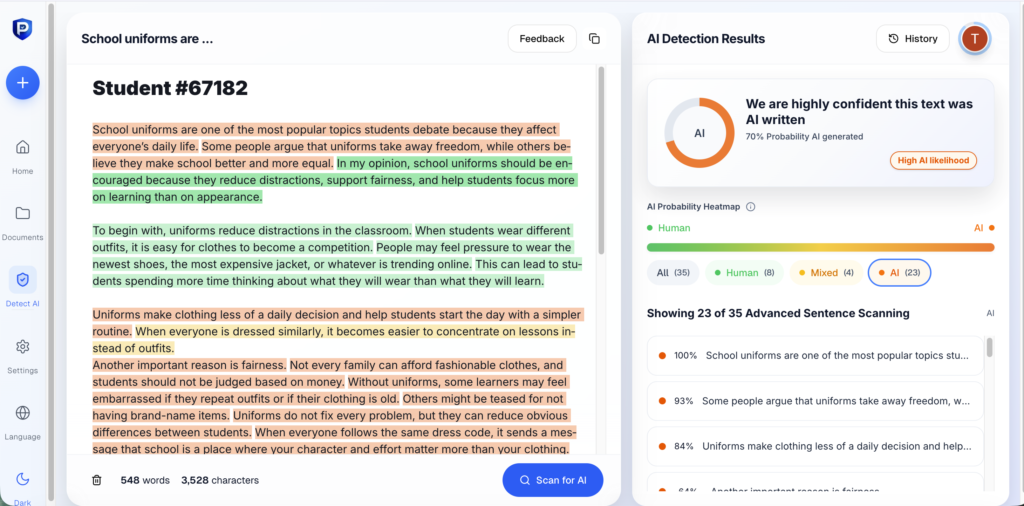
Most LTI integrations add AI detection to Blackboard, but most are built for general-purpose content analysis. Proofademic AI detector is trained specifically on essays, research papers, and academic writing.
Proofademic adds academic-specific AI detection to your review process. Educators can check submissions through Proofademic’s AI text detector and batch scanning feature alongside their existing Blackboard workflow.
Here is how it fits into your Blackboard submission process:
- Sentence-Level Analysis: General AI detection tools reduce submissions to a single percentage score. Proofademic analyzes each sentence individually and helps educators accurately identify specific sections of AI-generated content.
- Batch Scanning for Efficient Workflow: Reviewing multiple student Blackboard submissions individually on traditional AI detection platforms can be time-consuming. Proofademic’s batch scanning feature allows educators to upload multiple papers at once, streamlining the process while ensuring accurate results.
- Free Tier for Easy Evaluation: Proofademic offers a free tier with 1,000-word credits included, no credit card needed. Educators can evaluate the platform’s academic-specific detection capabilities before committing to any paid plan.
Conclusion
The most accurate answer to does Blackboard detect AI is: not on its own. Blackboard is not an AI detector, it is the submission tracking platform. SafeAssign is a similarity tool, not an AI detector. Any AI detection that occurs inside Blackboard requires a separately licensed and enabled tool. To effectively detect AI in academic writing, educators recommend using Blackboard with an academia-first AI detector like Proofademic.
FAQs
Does Blackboard have a built-in AI detector?
No. The answer to does Blackboard detect AI is that it does not include a built-in AI detector as a standard feature. AI detection depends on your institution having a third-party LTI integration enabled.
Can SafeAssign detect ChatGPT?
No, SafeAssign cannot detect ChatGPT. This is why many educators ask can Blackboard detect ChatGPT at all – the answer is only through third-party LTI integrations, not through SafeAssign. SafeAssign only checks submitted text for similarity against a database of sources and previously submitted papers.
What AI detection tools work with Blackboard?
Any AI detection tool with LTI 1.3 support can integrate with Blackboard. For academic-specific detection with sentence-level analysis, consider an academia-first AI detector like Proofademic.
Can professors see if you use AI on Blackboard?
Professors may see a similarity report from SafeAssign or an AI writing flag from Turnitin or other LTI integrations if those tools are enabled. If these add-ons are not enabled, instructors cannot see any AI score.
Does Blackboard Ultra detect AI writing?
Blackboard Ultra is the newer course experience interface. Blackboard Ultra is primarily a UX update, not a detection upgrade. AI detection in Ultra depends on which third-party LTI tools your institution has licensed and enabled. For a similar breakdown of another major LMS, see our guide on Canvas AI detection.
Does SafeAssign detect AI?
No. SafeAssign is a plagiarism-detection tool, not an AI detector. It compares submitted text against a database of published content, institutional papers, and previously submitted student work. If it finds overlapping passages, it flags them in a similarity report. It does not analyze writing patterns, sentence structure, or statistical markers associated with AI-generated text. Institutions that need AI detection inside Blackboard must add a separate tool through an LTI integration.
Can Blackboard tell if you used ChatGPT?
Not on its own. Blackboard has no built-in feature that identifies ChatGPT usage. If your institution has integrated a third-party AI detection tool through LTI, that tool may flag text with patterns consistent with large language models like ChatGPT. Without such an integration, instructors see only what SafeAssign reports: text similarity scores, not AI authorship signals.
Does the SafeAssign originality report detect AI?
No. The SafeAssign originality report measures how much of a submission matches existing sources. It produces a percentage score based on overlapping text, not on AI-generated content patterns. A paper written entirely by ChatGPT could receive a 0% similarity score if the text does not match anything in SafeAssign’s database.
How does Blackboard detect AI?
Blackboard does not detect AI on its own. Institutions that want AI detection within Blackboard connect a third-party tool using the LTI (Learning Tools Interoperability) standard. Once configured, the external tool receives student submissions directly from Blackboard, runs its own analysis, and returns results to the instructor’s grade center. The detection method, accuracy, and reporting depend entirely on which third-party tool the institution selects.